
Facebook ads library download is a practical need for marketers who want to study real ad creatives, track competitors, and analyze trends across Meta platforms. This guide walks you through compliant methods, tools, and common questions so you can handle facebook ads library download efficiently and with confidence.
1. Overview of Facebook Ads Library Download for Videos
The Facebook Ads Library Download option helps users review and save video ads that are currently active on Meta platforms. These platforms include Facebook, Instagram, Messenger, and the Audience Network. The system was created to support ad transparency and open access to public advertising data.
With facebook ads library download, users can examine video creatives without being part of the original audience. All information shown comes from publicly available ads. This makes facebook ads library download a reliable way to study real campaigns while staying aligned with Meta’s transparency rules.
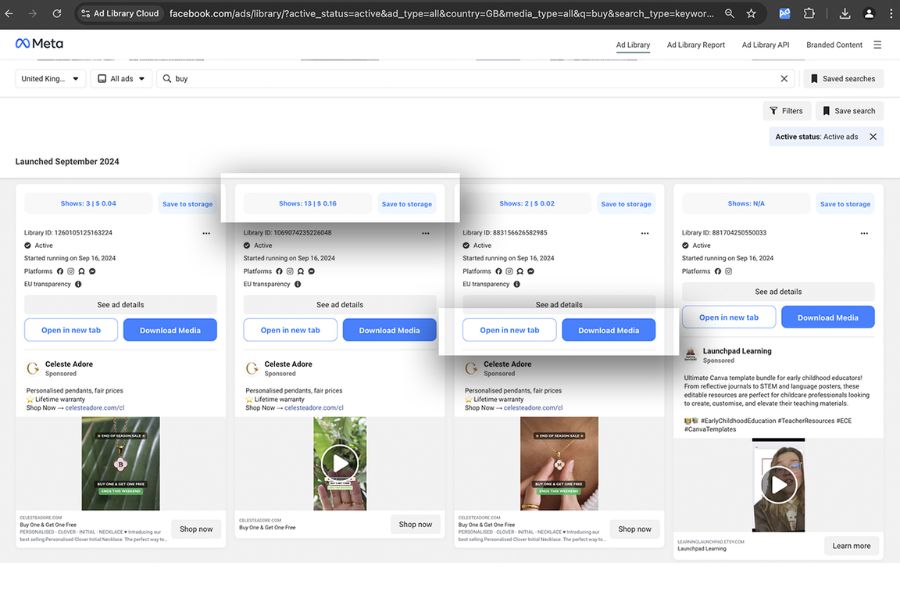
Below is a clear breakdown of how this works and why it matters for video ad research.
1.1 Benefits
Using facebook ads library download for videos offers practical value for marketers and content teams.
- Review real video ads that are live across Meta platforms
- Compare creative styles, video formats, and messaging approaches
- Understand how brands structure video ads for different placements
These benefits make facebook ads library download useful for learning from active campaigns, not assumptions or outdated examples.
1.2 Key Features
The facebook ads library download experience focuses on clarity and access. Users can search video ads by keyword or advertiser name. Each listing shows the full video creative, ad text, destination link, and active placements.
Key features include access to:
- Video creatives in their original format
- Ad copy and call-to-action details
- Platform-level placement information
Together, these elements help users analyze video advertising strategies with accurate, up-to-date data from the facebook ads library download system.
2. How to Manually Download Ads from Facebook Ads Library
The facebook ads library download process is often used by marketers who want to review competitor ads later. Since Meta does not provide a built-in download button, saving ads requires manual steps. This method helps you keep useful references, but it can take time and effort. Below is a clear and accurate way to handle facebook ads library download without breaking platform rules.
2.2 Searching and Filtering Ads
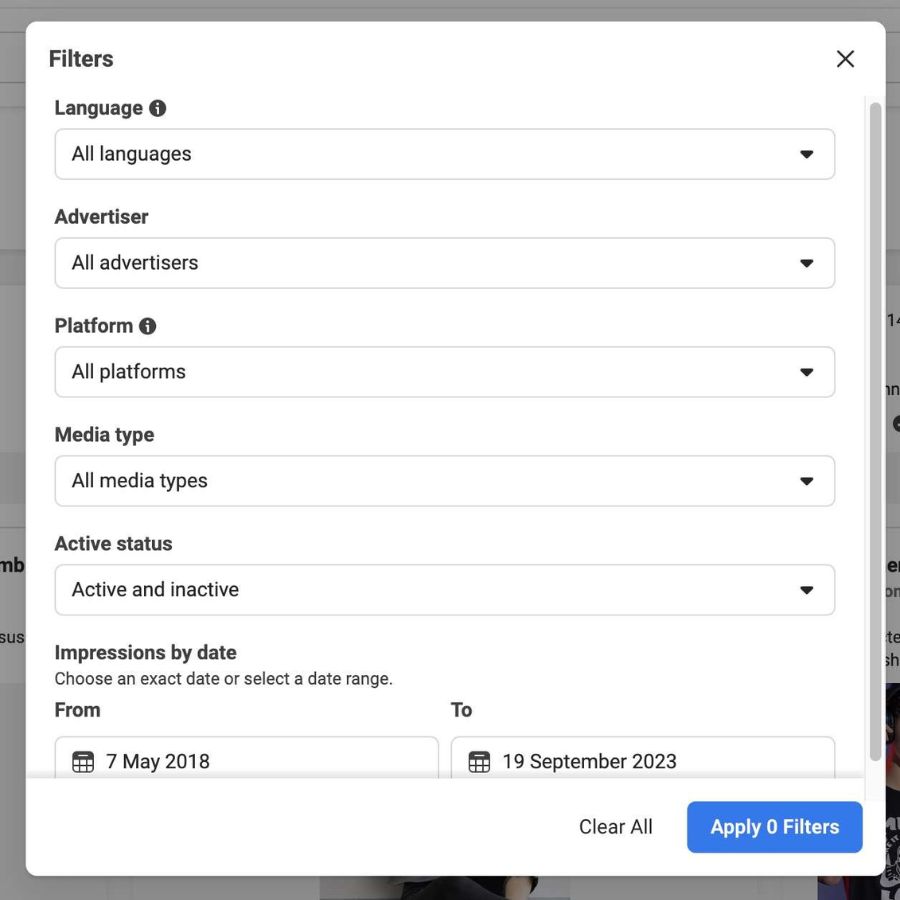
Start by visiting the Facebook Ads Library and entering a competitor name, brand, product, or niche. To refine results, use available filters such as ad status, platform, or date range. This step helps you focus on ads that are performing well and are still active.
A useful approach is to review ads that have been running for a long period. Long-running ads often signal stable performance and strong messaging. This makes the facebook ads library download process more valuable for analysis and inspiration.
2.3 Screenshot and Link Method
Once you find relevant ads, you can save them manually. Take a full or partial screenshot of the ad creative. For videos or carousels, scrolling screenshots may be needed.
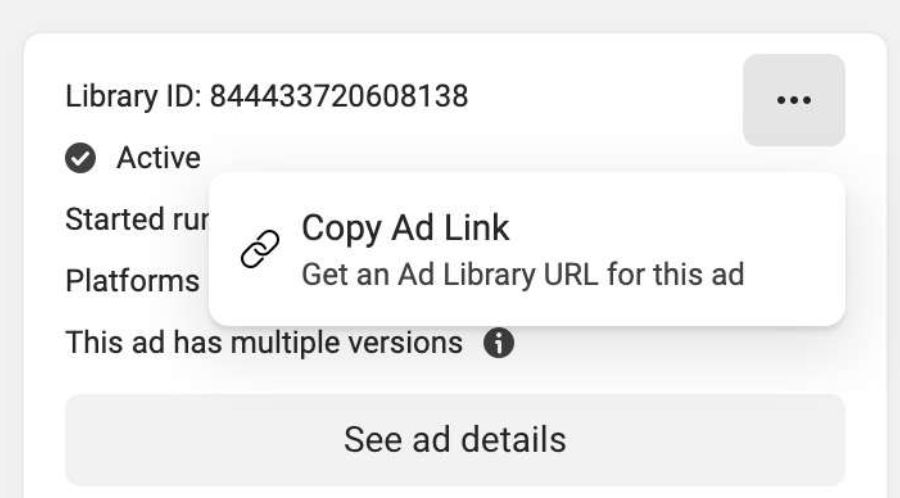
Next, click the three-dot icon on the ad and copy the public ad link. This link allows you to revisit the ad as long as it remains active. At this stage, facebook ads library download relies fully on screenshots and saved URLs.
2.4 Storing Ads in Google Sheets or Google Docs
To stay organized, paste the ad link into a Google Sheet or Google Doc. Add simple columns such as industry, ad format, screenshot, and related campaign name. This structure supports easy review and team collaboration.
Keep in mind that inactive or removed ads may no longer open, even if the link was saved. This limitation is part of the manual facebook ads library download process and cannot be avoided under current Meta policies.
3. Download Facebook Ads Library Using Foreplay Chrome Extension
Using a browser extension is a practical way to simplify the facebook ads library download process. Foreplay is designed to help users save, organize, and review ads from the Facebook Ads Library without relying on screenshots or manual links. Once installed, it adds a direct save option to each visible ad, making facebook ads library download faster and more reliable for long-term reference.
Below is a clear explanation of how Foreplay works and what it offers, based strictly on its core functions.
3.1 How Foreplay Saves Ads
After installing the Foreplay Chrome extension, a “Save to Foreplay” button appears on ads inside the Facebook Ads Library. With one click, the selected ad is sent to your Foreplay Board.
A key advantage of this facebook ads library download method is ad retention. Ads saved in Foreplay remain accessible even if Meta later removes them from the Ads Library. This ensures you do not lose valuable references during research or creative planning.
3.1 Creating Swipe Files With Foreplay
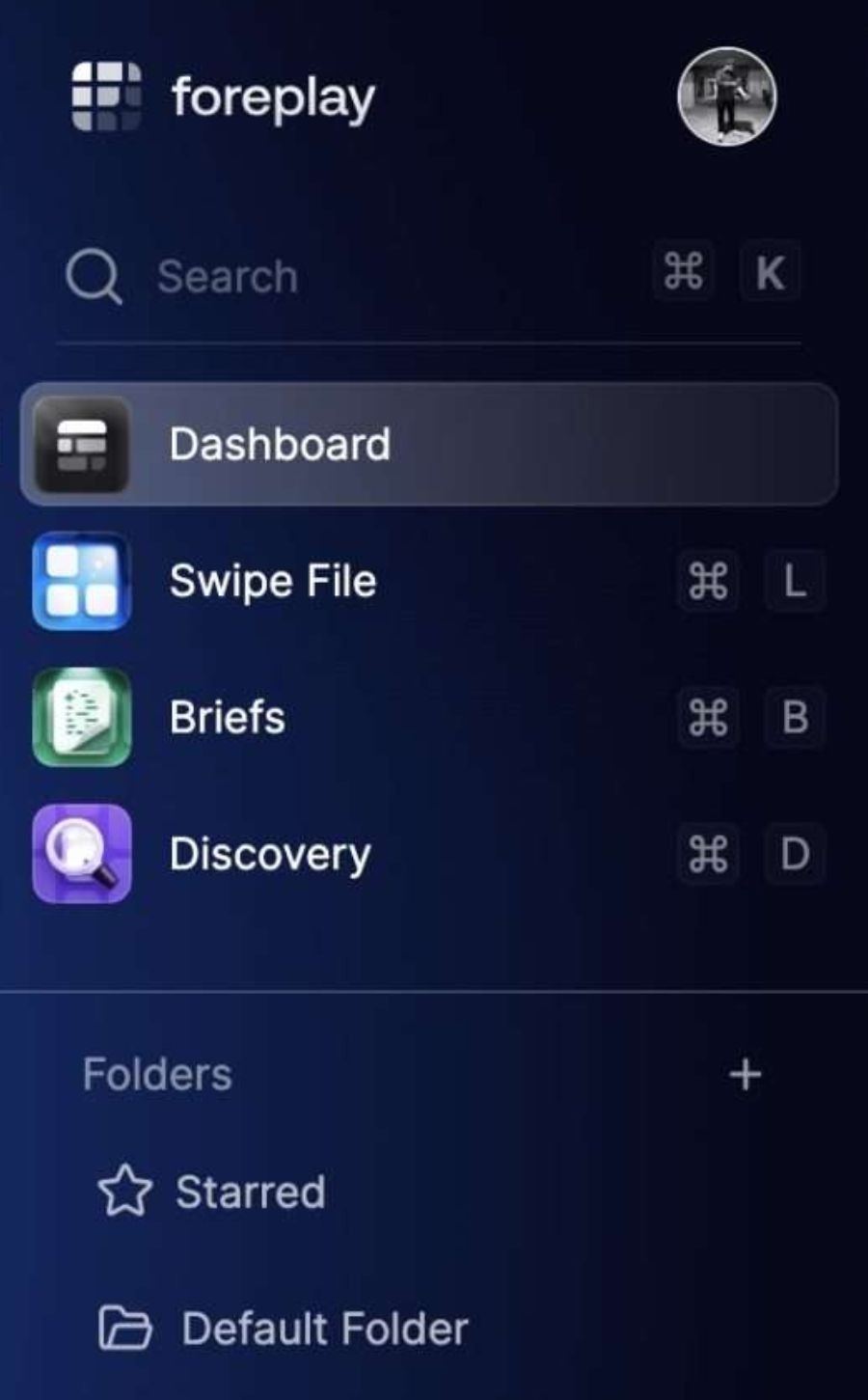
Foreplay allows users to build structured swipe files from saved ads. You can search ads by product, brand, or visual elements using deep search and AI-powered discovery tools.
To keep everything organized, users can:
- Add custom tags to saved ads
- Create folders and subfolders for different campaigns or ideas

This setup makes facebook ads library download more scalable. Teams can quickly locate relevant ad examples using multiple data filters and visual search options.
Swipe files can also be shared through a single link, even with collaborators who do not have a Foreplay account. This supports smooth teamwork and faster feedback cycles.
3.2 Extra Features in Foreplay
Beyond basic facebook ads library download, Foreplay includes several advanced tools that support ad research and creative development.
Key features include:
- AI Brief creation with brand profiles and ad brief variations in multiple languages
- Filters for ad duration, platform, active status, and language-based search
- Mobile and desktop landing page previews for each ad
Additional tools help teams work more efficiently. Users can build storyboards with competitor ads, export AI briefs into formats like PDF or spreadsheets, monitor competitor activity with automated saving, and embed ads into Notion pages or websites.
4. Download Facebook Ads Using the AdsLibrary.ai Extension
The AdsLibrary.ai Chrome extension offers a simple way to handle facebook ads library download with fewer manual steps. Once installed, it adds a save option to supported ad libraries, allowing users to collect ads and videos from Facebook Ads Library and other major platforms in one place. This approach helps marketers store references safely, even if the original ads are later removed.
Below is a clear look at how AdsLibrary.ai supports facebook ads library download and long-term ad research.
4.1 Saving Ads and Videos
After activation, a “Save to AdsLibrary” button appears directly on eligible ads. With one click, the selected ad or video is sent to your personal online archive. This makes facebook ads library download faster and more reliable than screenshots or copied links.
Saved ads remain accessible for review and comparison. Each entry includes full media assets and detailed ad data, which supports deeper analysis and offline access when needed. This method ensures your facebook ads library download workflow stays consistent and organized.
4.2 Building a Swipe File With AdsLibrary.ai
AdsLibrary.ai also functions as a structured ad swipe file system. Users can arrange saved ads into folders and groups based on projects, brands, or clients. Custom tags and advanced filters help locate specific creatives quickly.
Key capabilities include:
- Advanced search across a large, frequently updated ad database
- One-click capture from multiple ad platforms
- Metadata-rich storage for images and videos
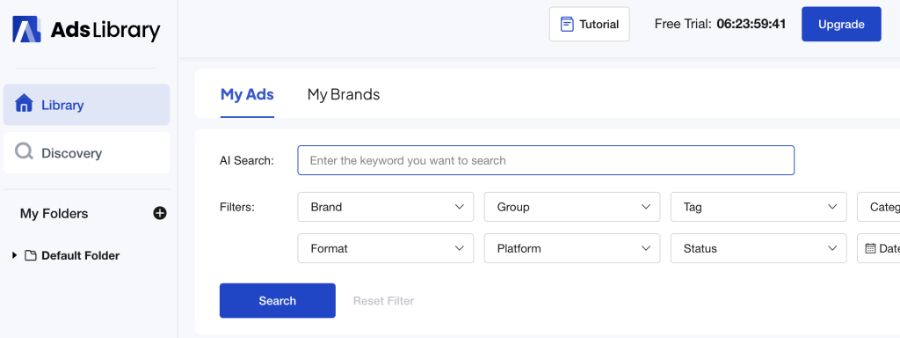
With these features, facebook ads library download becomes part of a broader creative research process. Teams can share individual ads or full collections through simple links, improving collaboration while keeping all references centralized and easy to manage.
5. Saving Facebook Ads with the Denote Chrome Extension
The Denote Chrome extension provides a streamlined way to manage facebook ads library download without manual screenshots or link tracking. It is built to help marketers save ads quickly while keeping all references accessible in one workspace. By combining ad capture with AI support and team features, Denote simplifies how users collect and review ads from the Facebook Ads Library and other platforms.
Below is a clear breakdown of how Denote supports facebook ads library download and creative organization.
5.1 Saving Ads With Denote
After installing the extension, open it and select Facebook Ads Library. You will be directed to the ads page, where you can apply filters to narrow down results. Each visible ad includes a “Save to Denote” button.
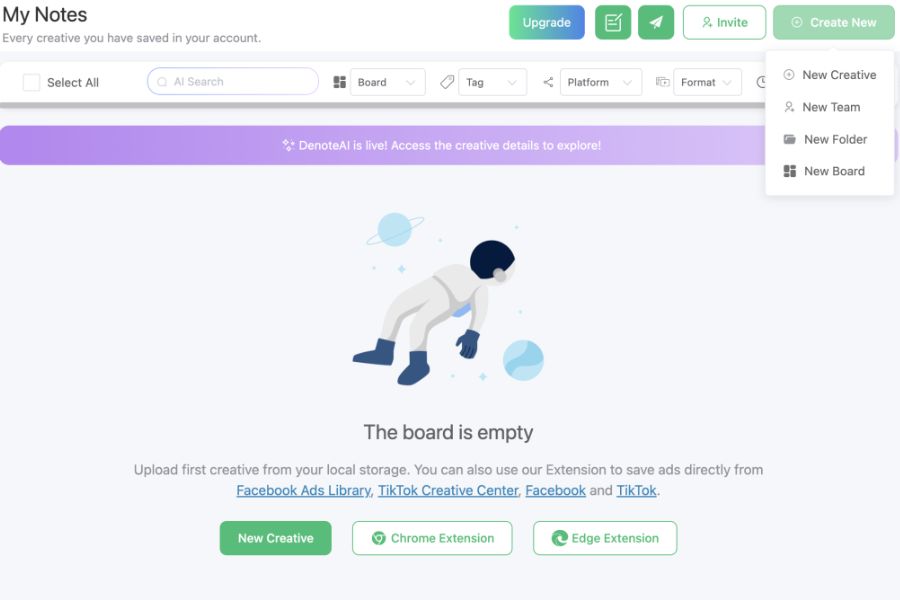
With one click, the ad is added to your Denote board. A major benefit of this facebook ads library download method is long-term access. Saved ads stay available even if they are removed from the original platform. This ensures reliable access for future review and comparison.
Denote also allows users to capture ads from multiple platforms through the same extension, keeping the facebook ads library download workflow consistent and efficient.
5.2 Creating Swipe Collections in Denote
Denote helps users turn saved ads into structured swipe collections. You can organize creatives using folders, subfolders, and custom tags that match your campaign or project needs.
Key organization options include:
- Folder-based grouping for different brands or campaigns
- Custom tags for fast filtering and retrieval
These tools make facebook ads library download more scalable, especially for teams managing large volumes of ad creatives.

Swipe collections can be shared with teammates using a single link, which supports collaboration without extra steps.
5.3 Additional Features in Denote
Beyond basic facebook ads library download, Denote offers advanced tools for deeper ad research and asset management.
Notable features include:
- Access to detailed ad data such as landing pages, industry, and keywords
- Metadata review, including engagement and performance indicators
- Export options for ad assets and data in multiple formats
Users can also batch-download creatives, upload local media, and manage ads from several platforms in one place. For teams focused on structured research and creative testing, Denote delivers a flexible and dependable facebook ads library download solution.
6. FAQs
Below are clear answers to common questions users have when working with facebook ads library download for video research and data collection. These explanations focus on accuracy, compliance, and practical use, based strictly on the reference content.
6.1 Is it allowed to use Facebook Ad Library videos for business purposes?
Yes, facebook ads library download is permitted when videos are used for internal analysis. This includes research, competitor benchmarking, and performance reporting. However, the content must not be reused for public distribution, paid promotion, or resale. Always follow copyright rules and Meta’s official policies.
6.2 Can Thunderbit access all videos in the Facebook Ads Library?
Thunderbit is able to retrieve video links and related data from most publicly available ads. That said, some ads may not be accessible due to regional limits or because they were taken down. In these cases, facebook ads library download may return incomplete results.
6.3 Which export options are available for downloaded ad data?
Thunderbit supports several export formats to fit different workflows. You can send video URLs and metadata to tools such as Excel, CSV files, Google Sheets, Airtable, Notion, or JSON. This flexibility makes facebook ads library download easier to integrate into existing reporting systems.
6.4 How does Thunderbit track new Facebook Ad videos over time?
Thunderbit offers a scheduling feature that automates recurring data collection. You can define the update frequency using simple language, and the system will refresh your facebook ads library download data automatically. This helps keep ad research current without manual checks.
6.5 What if I face problems when extracting Facebook Ad Library videos?
If issues occur, review Thunderbit’s help resources or contact their support team. Common solutions include logging into Facebook, adjusting page settings, or refining data fields. These steps usually resolve most facebook ads library download errors quickly and safely.
Facebook ads library download is a valuable resource for marketers who want to analyze active ads, understand creative trends, and improve campaign planning. When used correctly, it supports research and benchmarking without violating platform policies.
If you are looking for a more hands-off approach to running ads, NEMI Ads also provides a professional ad account rental service, helping brands launch and scale campaigns smoothly with stable accounts and expert support.