

Finding products directly on social platforms is now easier than ever, but many users still don’t know where to start. If you’re wondering how to find Facebook Shops, this guide will show you exactly where shops appear and how you can access them quickly. From business pages to ads and in-app sections, understanding these entry points helps you explore products and connect with brands more efficiently.
1. What Are Facebook Shops and How It Works
Facebook Shops are built-in online storefronts that allow businesses to showcase and sell products directly within social platforms. Customers can browse collections, explore product details, and complete purchases without leaving the app, creating a smooth and convenient shopping journey.
With Facebook Shops, businesses can design their storefront, organize items into collections, and present products in a way that matches their brand identity. This system also connects across platforms like Facebook and Instagram, making it easier for users to discover products naturally while interacting with content.

2. Why You Should Choose Facebook Shops
This section explains the key reasons why many businesses adopt this solution and how it improves selling efficiency. By understanding what is Facebook Shop and its benefits, you can better evaluate how it supports growth and enhances customer interaction.
2.1. Seamless and Convenient Shopping Experience
This feature creates a smooth buying journey where users can explore products, ask questions, and complete purchases without leaving the platform. Customers can browse items directly on a business page or profile, making the process faster and more convenient compared to traditional online shopping.
In addition, integrated messaging tools allow direct communication between businesses and buyers. Users can get instant support before making a decision, which reduces friction and improves overall satisfaction. This seamless interaction helps increase engagement and supports better conversion performance.
2.2. Simple Product Catalog Setup
If you run an eCommerce website, managing product categories can be complex and time-consuming. However, this system simplifies the process by allowing you to upload and update product details quickly in Commerce Manager. You can edit images, descriptions, or pricing in just a few steps, making catalog management more efficient and flexible.
Another advantage is the flexibility in fulfillment options. Sellers can choose their preferred delivery method as long as it supports tracking and confirmation. This makes it easier to manage orders while still providing a smooth experience for customers.

2.3. Better Customer Experience
This feature allows businesses to communicate directly with customers through messaging apps like Messenger, WhatsApp, and Instagram. Users can ask questions, receive product advice, and track their orders in real time, similar to the support they would get in a physical store. This direct interaction helps build trust and makes the buying process more comfortable.
A useful tip is to use AI-powered chatbots to handle customer conversations. These tools can automate responses, save time, and ensure quick support, especially when handling a large number of inquiries. As a result, businesses can improve efficiency while delivering a smoother and more satisfying customer experience.
2.4. No Website Required
Not every online business needs to build and maintain a separate website to start selling. This solution allows brands to create a complete shopping experience directly on the platform, where customers can browse products and make purchases without leaving the app. This approach reduces technical barriers and simplifies the process of going online.
By removing the need for web development, hosting, and maintenance, businesses can save both time and cost. Sellers can manage products, update information, and handle orders in one place, making it easier to focus on sales and customer engagement instead of website operations.
3. 6 Tips to Set Up a Facebook Shop
This section outlines the key steps to launch and manage your store effectively. If you are learning how to find Facebook Shops, understanding the setup process also helps you recognize how these stores are structured and where they appear across the platform.
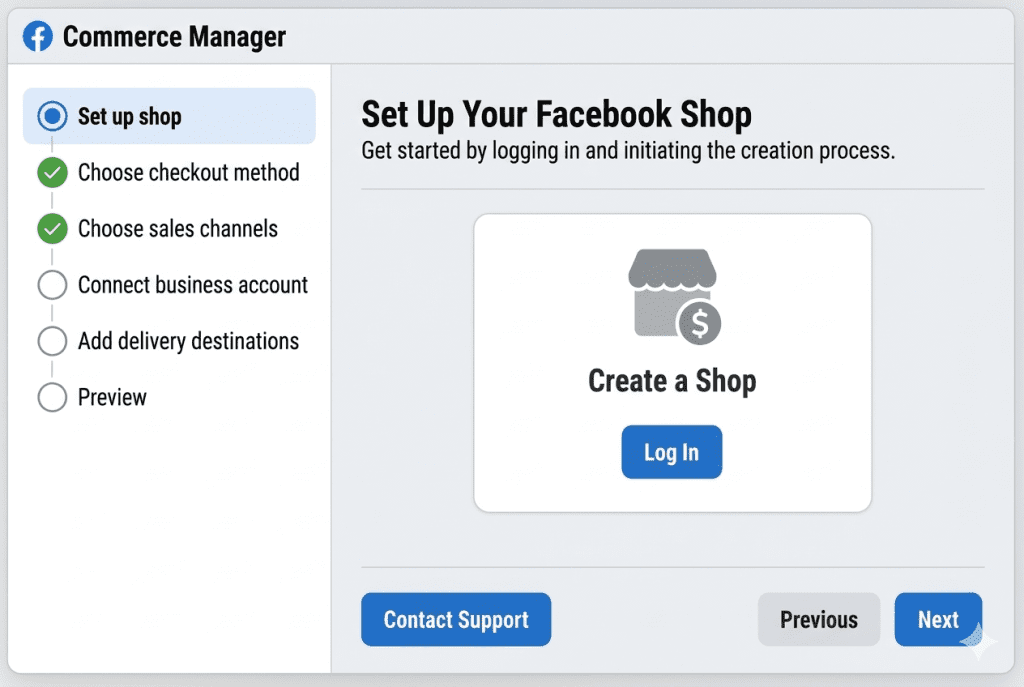
3.1. Set Up Your Facebook Shop in Commerce Manager
Start by accessing Commerce Manager, where you can create and manage your store in one place. Simply log in, choose “Create a shop,” and follow the setup steps to begin building your storefront.
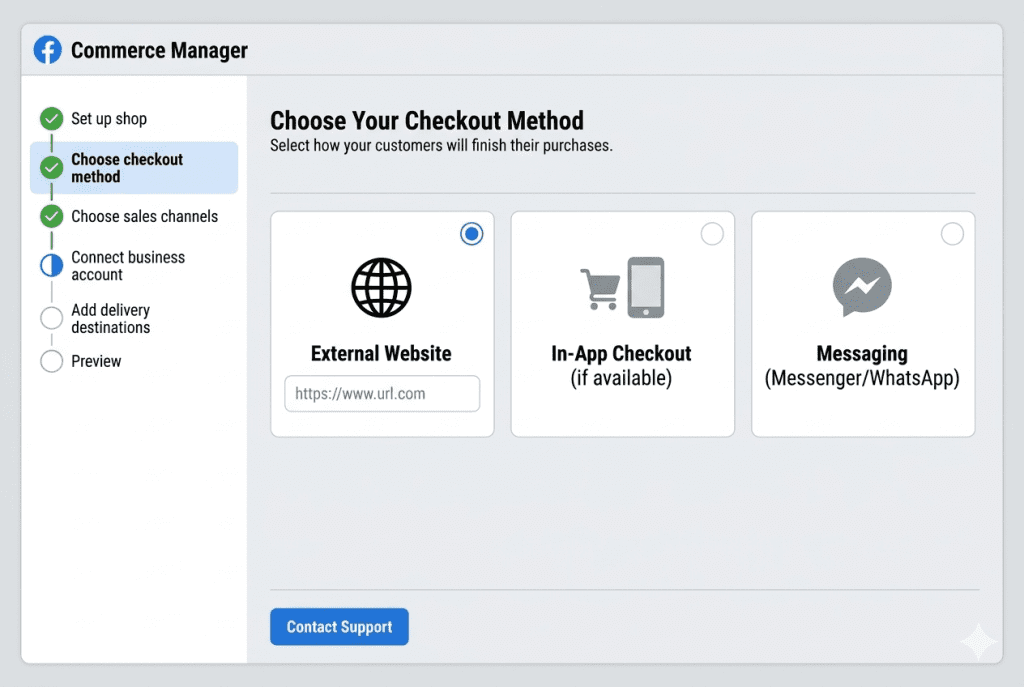
3.2. Choose Your Checkout Method
Select how customers will complete their orders. You can direct them to an external website, allow in-app checkout (if available), or enable ordering through messaging apps like Messenger or WhatsApp.
3.3. Select Your Sales Channels
Decide where your products will appear, such as your Facebook page or Instagram account. This helps you expand visibility and reach customers across multiple platforms within the same ecosystem.

3.4. Connect Your Facebook Business Account
Link your shop to your business page to manage everything centrally. If you do not have a business account yet, the system will guide you through creating and connecting one during setup.

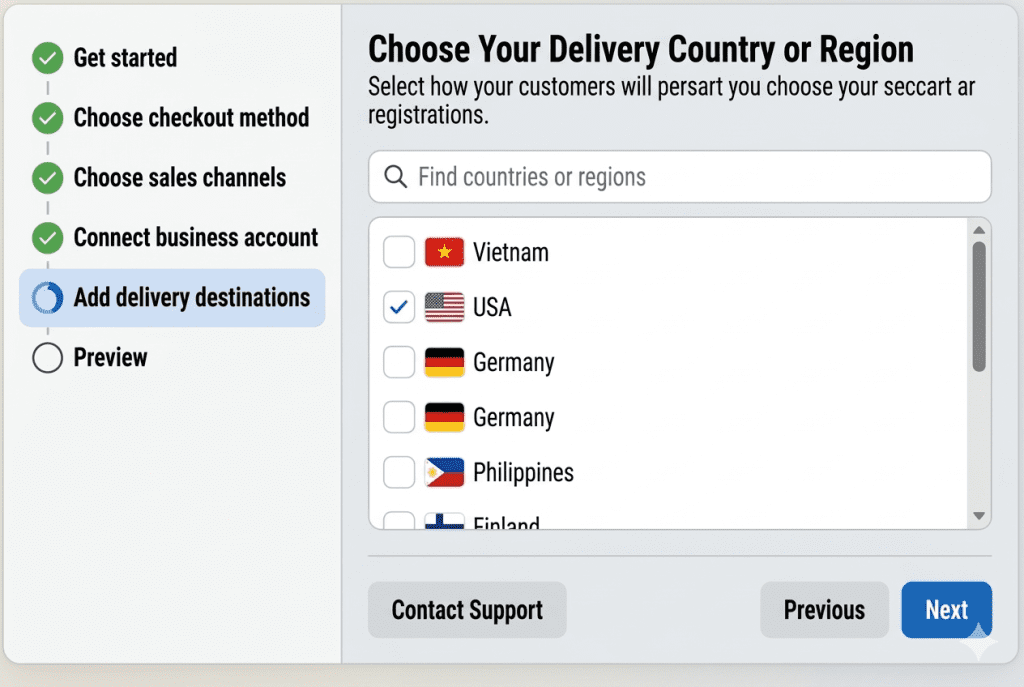
3.5. Choose Your Delivery Country or Region
Define where you want to sell and ship your products. Setting delivery locations ensures your shop targets the right market and provides accurate shipping options for customers.
3.6. Review and Complete Your Shop Setup
Before publishing, check all details carefully, including product information and settings. Once confirmed, complete the setup and submit your shop for review so it can go live.
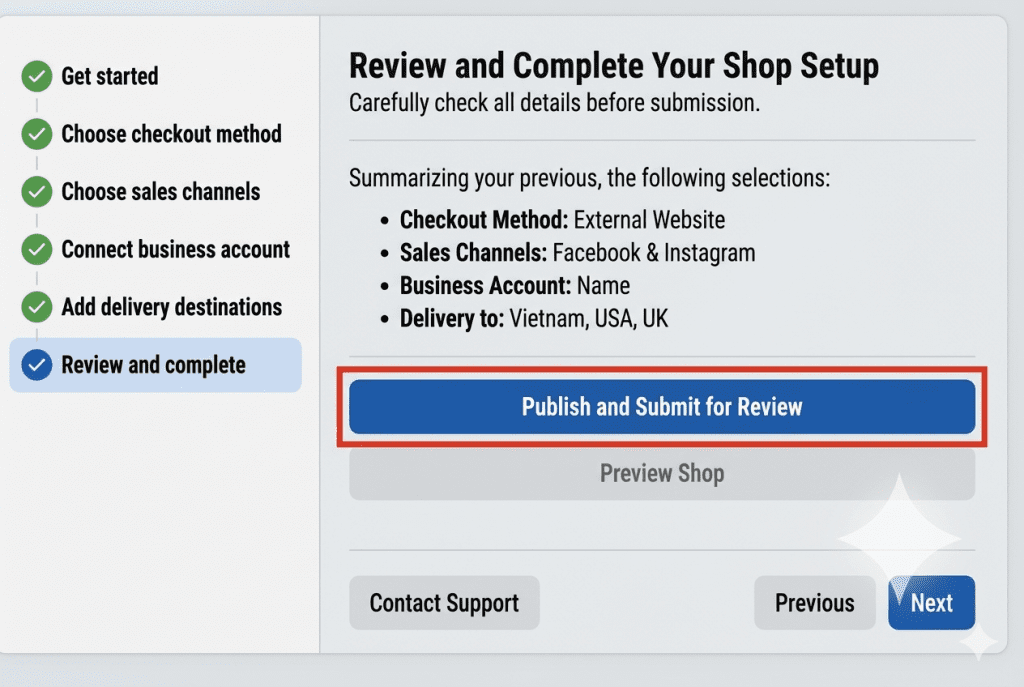
Alt: Facebook Shops review process
4. Requirements to Set Up a Facebook Shop
Before creating your store, businesses must meet several key conditions set by Meta to ensure compliance and trust. These requirements help maintain a safe and reliable shopping environment for both sellers and buyers.
- Comply with platform policies, including Commerce Policies and Community Standards
- Represent your business accurately and verify ownership of your domain
- Be located in a supported country where the feature is available
- Demonstrate trustworthiness with a real and active business presence
- Provide clear and accurate product details, including pricing and return policies
5. How to Add Products to Facebook Shop
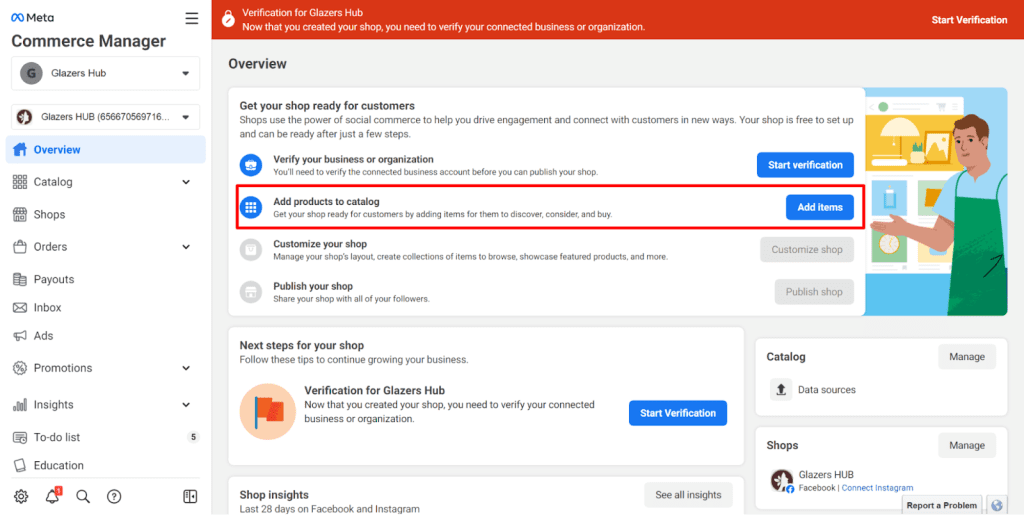
You can easily upload items to your store through a few simple steps while still providing full product details for customers. All products are managed inside a product catalog in Commerce Manager, which can also be connected to ads and sales channels for better promotion.
To add products, follow this process:
- Log in to Commerce Manager and select your catalog
- Click “Add catalog” and choose your product category
- Select how you want to upload items (manual or via partners like Shopify)
- Name your catalog and create it
- Go to “Products” and choose “Add items”
- Enter product details such as images, title, description, price, and link
This process helps you keep your catalog organized and ensures your listings are clear, accurate, and ready for customers to explore.
6. How to Create Collections in Facebook Shop
Product collections allow you to group items into themed categories, making it easier for customers to explore related products in one place. These collections appear on your shop homepage and help improve product discovery by organizing items based on style, season, or target audience.
To create a collection, follow these steps:
- Log in to Commerce Manager and select your shop
- Go to the “Shops” tab and click “Edit shop”
- Choose “Add new” and select “Collection,” then create a new one
- Enter a name, select products, and confirm your collection
- Add details such as cover image, title, and description (recommended image ratio 4:3, minimum 800×600)
- Review and publish your collection so it becomes visible to customers
You can also use partner platforms like Shopify to simplify the setup process and manage collections more efficiently.
7. Facebook Shop Fees and Costs Explained
Setting up a shop is generally free, but businesses will incur certain transaction-related costs when making sales. These fees are mainly applied to cover payment processing, taxes, and order handling, depending on how the checkout is configured.
- A standard selling fee of around 5% per order value may apply when transactions are processed on the platform
- For orders under $8, a fixed fee of $0.40 is charged instead of a percentage
- Fees are calculated based on the total value, including product price, shipping, and taxes
- Payment processing costs may vary depending on the checkout method or integration (e.g., card or third-party platforms)
- Additional costs such as taxes and order handling are included in the overall transaction fee structure
Understanding these costs helps businesses plan pricing strategies more effectively and maintain profitability when selling through the platform.
8. FAQs About How to Find Facebook Shops
8.1. Where Is Facebook Shop Located on the App?
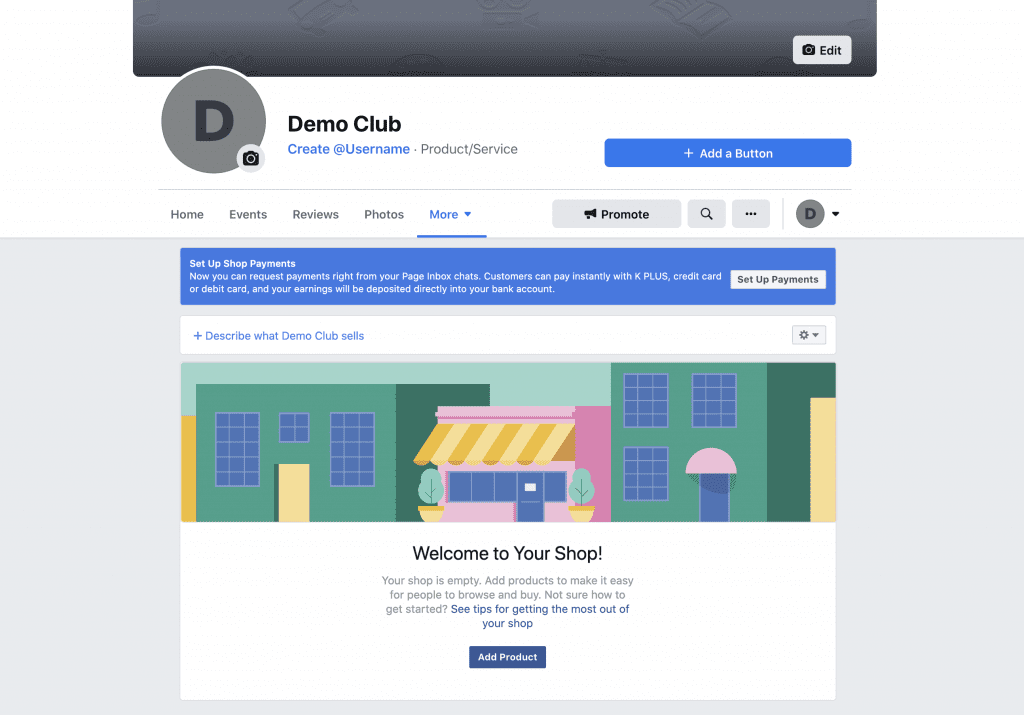
The shop section is usually found directly on a business Page as a “Shop” tab or product section. On mobile, users may also see products in feeds, ads, or marketplace-style displays depending on availability and region. In some cases, the visibility of this feature varies based on the country and account setup.
8.2. Can Anyone Create a Facebook Shop?
Not everyone can create a shop automatically. Businesses must meet Meta’s commerce policies, verify their account, and operate in a supported country. They also need a valid business presence and complete product information before approval.
8.3. Why Some Facebook Pages Don’t Have a Shop Tab?
A page may not show the shop tab for several reasons, such as not meeting eligibility requirements, being located in an unsupported region, or not setting up a product catalog. In some cases, the feature may also be limited or unavailable depending on local rollout conditions.
Now that you understand how to find Facebook Shops, you can easily discover products, explore collections, and shop directly within the platform. Keep exploring different pages and features to find the best deals and brands that match your needs. Explore professional solutions with NEMI ADS today.