
Dynamic Facebook Ads allow businesses to show personalized product ads automatically to the right audience. By using user behavior data and product catalogs, you can save time, improve engagement, and boost conversions. This guide will walk you through step – by – step setup, optimization strategies, and tips to get the best results from your campaigns.
1. What Are Dynamic Facebook Ads?
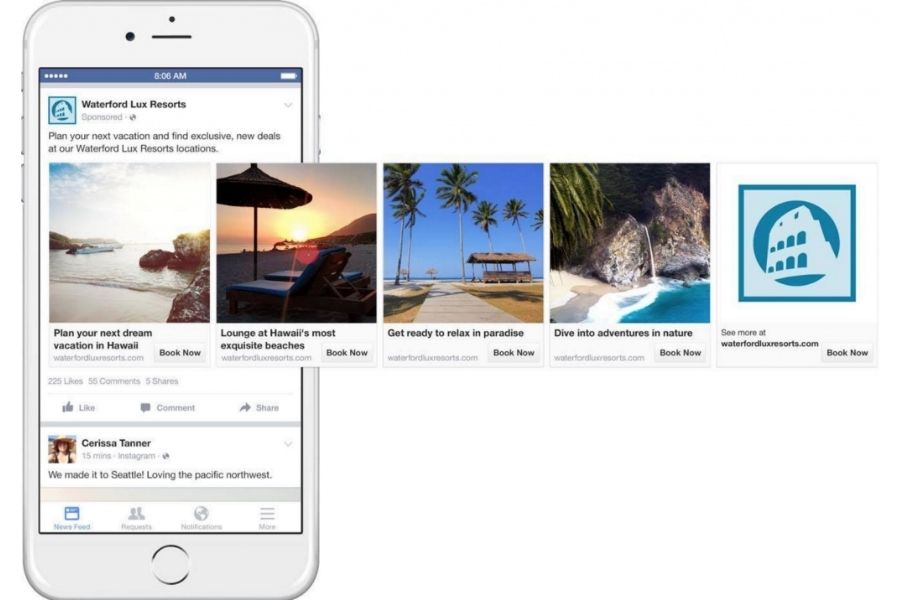
Dynamic Facebook Ads automatically show products to users based on what they viewed or added to their cart on your website or app. Instead of creating separate ads for each item, the system pulls details from your product catalog and delivers personalized recommendations.
This helps businesses save time while keeping messages relevant. If someone abandons their cart, the ad can remind them of the exact product they viewed. This increases conversions, boosts engagement, and ensures your ads reach people who are most likely to buy.
2. When to Use Dynamic Ads
Dynamic Facebook Ads are ideal for businesses that want to automatically show products relevant to each user. They streamline campaigns by using customer behavior data, making ad delivery more efficient and targeted.
2.1. Best for E-Commerce and Large Catalogs
These ads work particularly well for online stores with a wide range of products. They allow you to create a single template that automatically pulls images and details from your product catalog to generate personalized advertisements. Key advantages include:
- Re-engaging users who added items to their cart but did not complete the purchase
- Highlighting related or recommended products for individual users
- Saving time by avoiding the need to create multiple separate ads for each product
- Ensuring ads remain relevant and consistent across the Facebook feed
2.2. Retargeting vs. Prospecting
Dynamic Facebook Ads are ideal for retail companies aiming to showcase a wide range of products simultaneously. When deciding if Dynamic Ads are the right fit, it’s important to evaluate both the number of products and their distinct features.
- Small businesses with under 10 products that share similar attributes may find Carousel Ads (displaying 2 – 10 rotating images) more effective.
- Medium-sized companies with 10 – 20 items that mostly resemble each other can benefit from Carousel Ads featuring selected key products.
- For businesses offering 20 or more products, or 10 – 20 products with diverse characteristics, Dynamic Ads provide the most efficient and personalized advertising solution.

3. Requirements Before Running Dynamic Facebook Ads
Before launching Dynamic Facebook Ads, there are a few essential components to prepare. Ensuring these elements are in place will help your campaigns run smoothly and reach the right audience.
- Product Catalog: This is a complete list of your products with detailed information such as price, description, and key features. A well – organized catalog allows Facebook to dynamically display the most relevant products to each user.
- Facebook Pixel or SDK:
- Facebook Pixel: A small piece of code installed on your website to track user activity, such as page views, add – to – cart actions, and purchases.
- Facebook SDK: A tool for mobile apps that monitors downloads, user engagement, and interactions.
These tools enable precise tracking and measurement of user behavior. They help build custom audiences and optimize Dynamic Facebook Ads campaigns to show relevant products to users based on their past interactions.
4. How to Create Dynamic Facebook Ads Quickly
Setting up Dynamic Facebook Ads requires a few structured steps to ensure your campaigns reach the right audience and drive results. Follow these stages carefully to prepare your assets and tracking.
4.1. Create Your Catalog & Upload Feed (CSV/XML)
To run Dynamic Facebook Ads, start by creating a product catalog in the Commerce Manager. Choose the right catalog type, then upload your product feed in CSV or XML format. Include key details such as name, price, images, and availability, and ensure all data follows Facebook’s specifications to avoid upload issues.
After uploading, check that every item appears correctly and matches the required fields. You can also set automatic updates to keep inventory and pricing accurate. A clean, up – to – date catalog ensures your ads show the right products to people based on what they viewed or added to their cart.
4.2. Install Pixel and Basic CAPI
Dynamic Facebook Ads work best when Facebook Pixel and the Conversions API (CAPI) are installed correctly. Start by creating a Pixel inside Business Manager, then place the code in your website’s header. Test the connection – an “Active” status means it is functioning.
Add essential events like view content, add to cart, and purchase. These events help capture user actions and support precise retargeting.
CAPI enhances tracking accuracy, especially when browser restrictions reduce Pixel data.
With a complete Pixel and CAPI setup, you gain reliable data, stronger audience targeting, and improved campaign performance.
4.3. Build Your Campaign
Start by creating a product set to group items for your ads. Then define your audience. You can retarget users who viewed products, added items to cart, or completed a purchase. You can also run upsell and crossa – sell campaigns.
If targeting new users, choose product sets based on customer behavior and relevance.
Next, select placementsa – automatic placements are recommended. Set a daily budget (minimum $5) and choose Link Clicks for optimization.
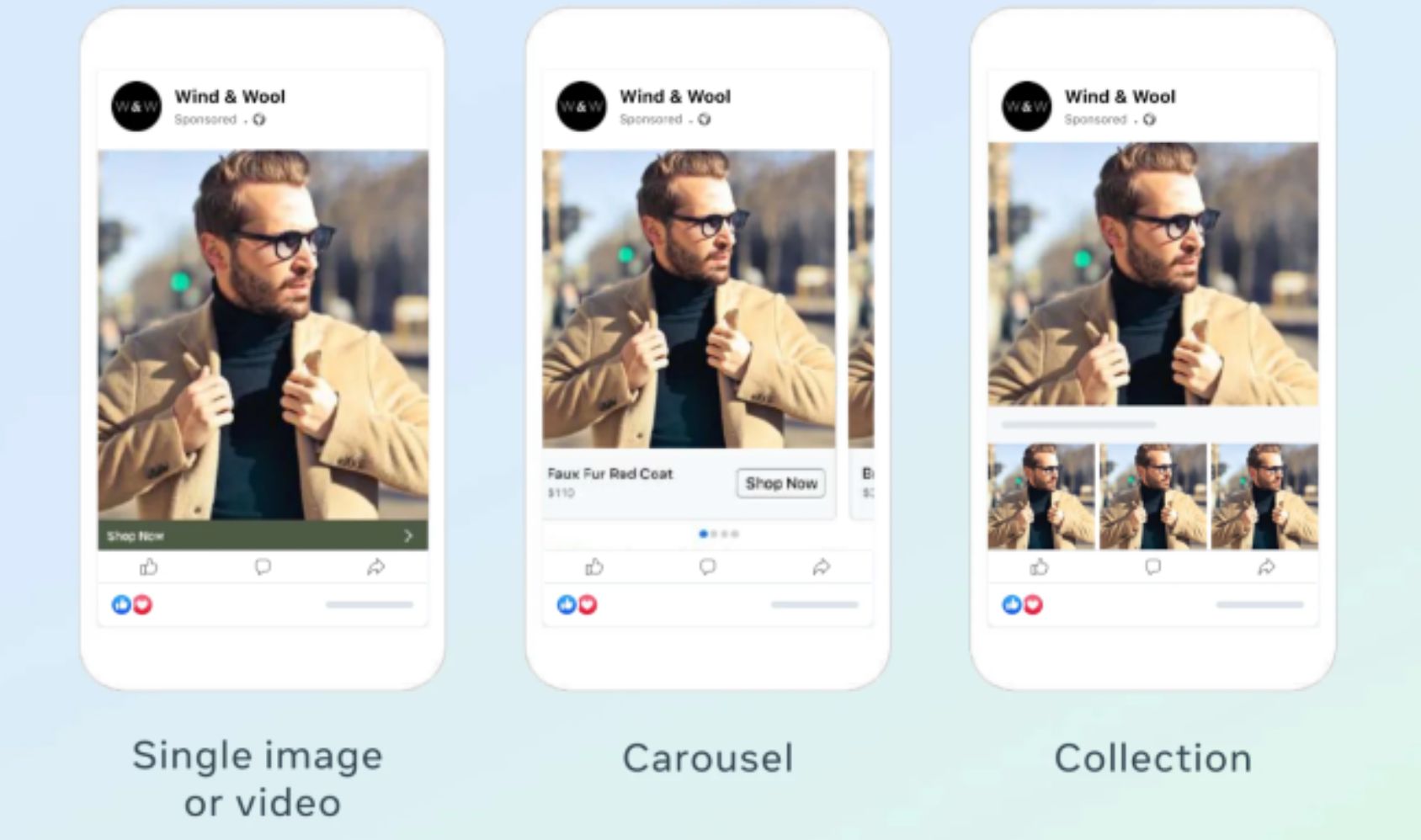
Pick your ad format:
- Carousel for multiple items
- Single image for one product
- Collection for a curated set
Complete your ad with a product name, description, and short link description. Review everything and click Confirm.
These steps ensure your Dynamic Facebook Ads campaign runs smoothly and delivers personalized product recommendations.
5. Best Tips to Optimize Dynamic Facebook Ads
Optimizing Dynamic Facebook Ads is key to increasing engagement and improving return on ad spend. Careful preparation and regular monitoring ensure your campaigns stay effective and relevant to your audience.
5.1. Creative & Copy: Keep It Short, Clear, and Varied
High – quality creatives are essential for capturing attention. Make sure all products in your catalog are fully updated with accurate details, including descriptions, prices, and images. Use concise copy that communicates value quickly. Rotate messages and visuals to maintain freshness and interest.
Seasonal campaigns or promotions like Christmas, Valentine’s Day, or Black Friday can benefit from tailored designs, fonts, or colors that match your brand identity. Well – crafted ads help your Dynamic Facebook Ads stand out in crowded feeds and attract clicks from potential buyers.
5.2. Targeting & Bidding: Stay Flexible Across Phases
Effective targeting ensures your Dynamic Facebook Ads reach the right users. Use Facebook Pixel or SDK to track interactions, such as product views, cart additions, or completed purchases. Monitor analytics regularly to identify top – performing products and adjust budgets accordingly.
Remove low – performing items to prevent wasted spend. Keep bidding strategies flexible to respond to audience engagement, competition, and campaign goals. Proper targeting and adaptive bidding increase conversion rates and improve your return on investment.
5.3. Use motion creatives
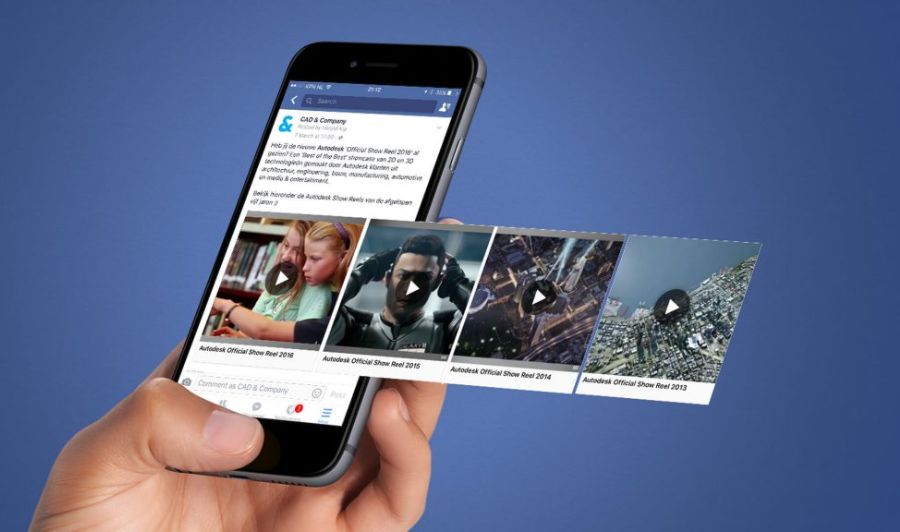
Incorporating motion into your Dynamic Facebook Ads can enhance the user experience. Slideshows and animated product displays showcase items from multiple angles, helping viewers better understand the product.
Ensure images and videos are optimized for mobile viewing, as most users access Facebook on smartphones. Motion creatives increase engagement, making your ads more memorable and encouraging potential customers to take action.

6. FAQs About Dynamic Facebook Ads
6.1. What is the difference between Dynamic Creative and Dynamic Ads on Facebook?
Dynamic Creative automatically tests different headlines, images, and texts. Dynamic Facebook Ads display products from your catalog based on user actions like views or cart additions.
6.2. Can I turn off Dynamic Creative after the ad is published?
Yes, the ad will show a fixed creative. Dynamic testing stops, and personalization will be reduced.
6.3. How can I analyze which creative combinations perform best?
Use Facebook Ads Manager to track clicks, conversions, and ROAS. Compare by audience and device to see what works best.
Mastering Dynamic Facebook Ads can transform your marketing strategy. By setting up your catalog, pixel, and creative properly, and continuously optimizing targeting and visuals, you can increase relevance, conversions, and ROI. Start implementing these steps with NEMI Ads today to reach your audience more effectively and efficiently.