
In today’s fast-moving digital world, Ads on Video Facebook have become one of the most powerful tools for brands to reach and engage audiences. Whether you’re a small business or a growing eCommerce brand, mastering video ads on Facebook can help you boost visibility and drive meaningful actions. This guide covers everything from optimization tips to future trends, helping you run smarter, high-performing campaigns.
Ads on Video Facebook: Why It Matters in 2025
As video content takes over social feeds in 2025, understanding the role of Facebook video ads has never been more important. In the sections that follow, we’ll define what video ads on Facebook are, and then explore why this format now dominates social marketing – setting the stage for smarter campaign strategies.
What Are Facebook Video Ads?
Ads on Video Facebook are short clips that promote a product, service, or brand. You can create Facebook video ads in Meta Ads Manager or boost a video post from your Page. These video ads on Facebook appear across Facebook, Instagram, Messenger, and the Meta Audience Network.
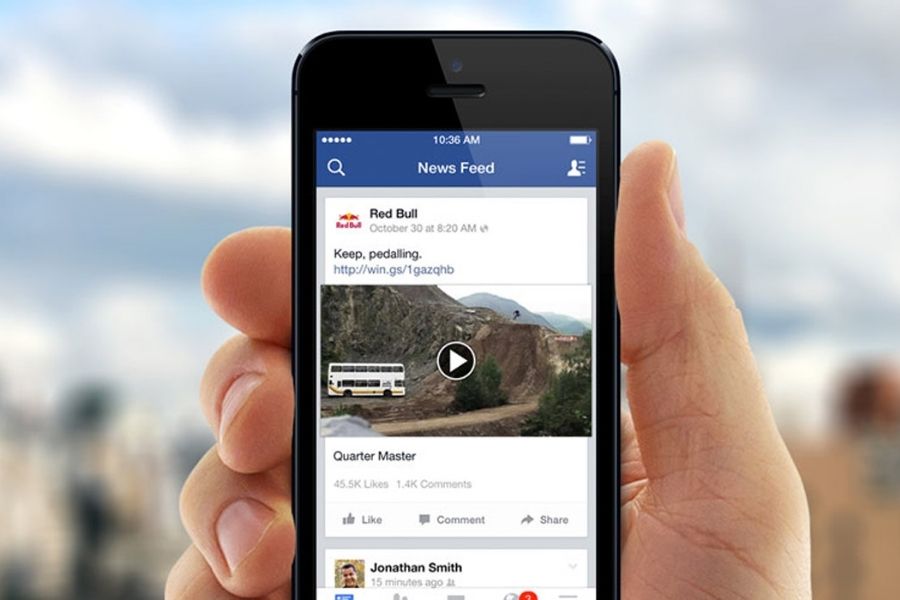
You can use video for Facebook ads to:
- Engagingly introduce your product or brand.
- Highlight key features or share your brand story.
- Deliver a single, clear message that drives action.
Facebook supports multiple formats and lengths depending on placement. Shorter videos perform better on mobile. Using the Facebook video ads creator, you can upload your own video or build one from images. With asset customization, a single video can fit different ad placements easily.
Why Video Ads Dominate Facebook Marketing Today
Video ads in Facebook grab attention faster and are easier to remember than static images. They help brands stand out, drive engagement, and inspire quick action.
- Emotional visuals connect with viewers instantly.
- Simple messages make it easy to understand your offer.
- Custom formats improve viewing on every platform.
With people watching more videos daily, video ads Facebook remain a top tool for brand awareness and sales in 2025.
Video Facebook Ads Formats & Placements Explained
Understanding how to format and place your Ads on Video Facebook is key to achieving strong performance. The right design, copy, and technical setup help your video Facebook ads display correctly across all devices and placements.
Design Recommendations
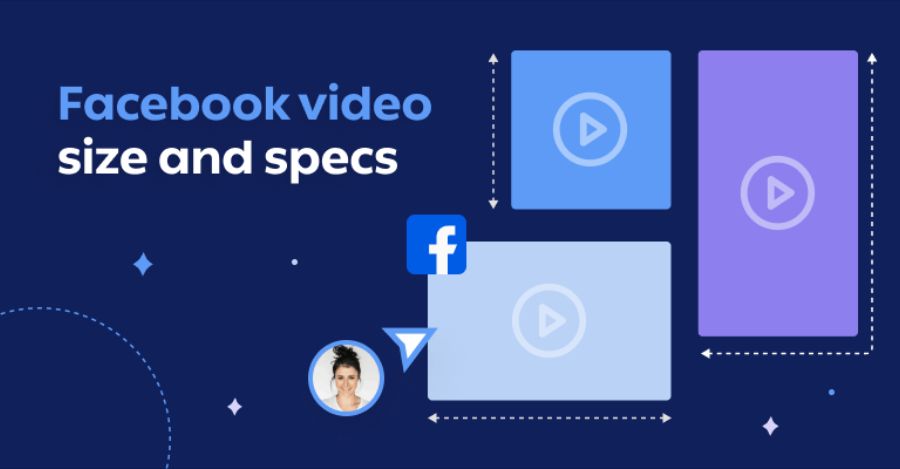
When you create Facebook video ads, follow Meta’s visual and file guidelines to ensure smooth playback and better engagement. For inspiration, check out engagement ads Facebook examples to see how others are effectively engaging their audience.
- File types: MP4, MOV, or GIF are accepted formats for all video ads on Facebook.
- Aspect ratios: Use 1:1 for both desktop and mobile, or 4:5 for mobile-only placements.
- Resolution:
- 1:1 – 1440 x 1440 pixels
- 4:5 – 1440 x 1800 pixels
- Compression: Apply H.264 compression, square pixels, a fixed frame rate, progressive scan, and AAC stereo audio (128 kbps or higher).
- Subtitles and sound: Not required, but highly recommended to improve accessibility and viewer experience.
- Additional note: Avoid editing lists or visual overlays in your video files. The thumbnail will automatically display from your chosen video frame.
Copy Recommendations
Text plays a key role in how viewers understand your Ads on Video Facebook. Keep your messaging short and clear.
- Primary text: 50 – 150 characters is ideal for clarity and engagement.
- Headline: Keep within 27 characters to ensure full visibility on all placements.
Short, direct text works best with video ads in Facebook, helping your message stay readable on both mobile and desktop.
Technical Requirements
To make sure your video ads Facebook meet Meta’s upload standards, check these settings before publishing:
- Video length: Minimum 1 second, maximum 241 minutes.
- File size: Up to 4GB.
- Minimum dimensions: 120 x 120 pixels.
Meeting these technical requirements ensures your Facebook video with ads runs smoothly across placements. Following these guidelines will help you create Facebook video ads that look professional, load quickly, and reach audiences effectively in 2025.
How to Create Facebook Video Ads Effectively
Creating Ads on Video Facebook through Meta Ads Manager helps your brand reach audiences across Facebook, Instagram, Messenger, WhatsApp, and the Meta Audience Network. To get the best results, you need to follow key setup steps, meet technical standards, and select the right campaign objectives.
Key Elements to Ensure
Before creating your video Facebook ads, make sure to:
- Use supported file formats (MP4, MOV, or GIF).
- Meet Meta’s minimum requirements for video size and length.
- Choose a clear campaign objective such as Awareness, Engagement, Traffic, Leads, or Sales.
- Upload video content that aligns with your brand message and meets ad placement specifications.
- Review your Opportunity Score if available – it offers tested suggestions for better campaign performance.
H3. Step-by-Step Guide to Creating Facebook Video Ads
Each advertising objective requires a different setup approach. Below are the detailed steps for creating each type of Ads on Video Facebook.
How to Create Video Ads for Engagement, Awareness and Traffic
Creating video ads on Facebook is simple and effective. Follow these quick steps to set up your campaign and start reaching more people.
Step 1: Go to Ads Manager and click + Create.
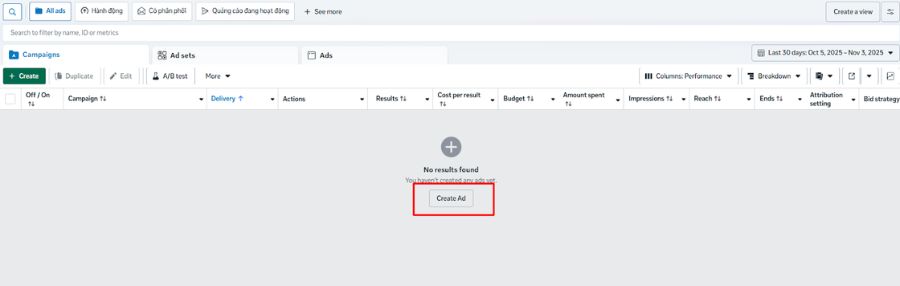
Step 2: Choose the campaign objective: Awareness, Traffic, or Engagement, then click Continue.

Step 3: Complete all campaign setup steps until you reach the Ad Setup section.
Step 4: Under Ad Setup, select Manual Upload as the content source.
Step 5: Choose Single Image or Video or Carousel as the ad format.
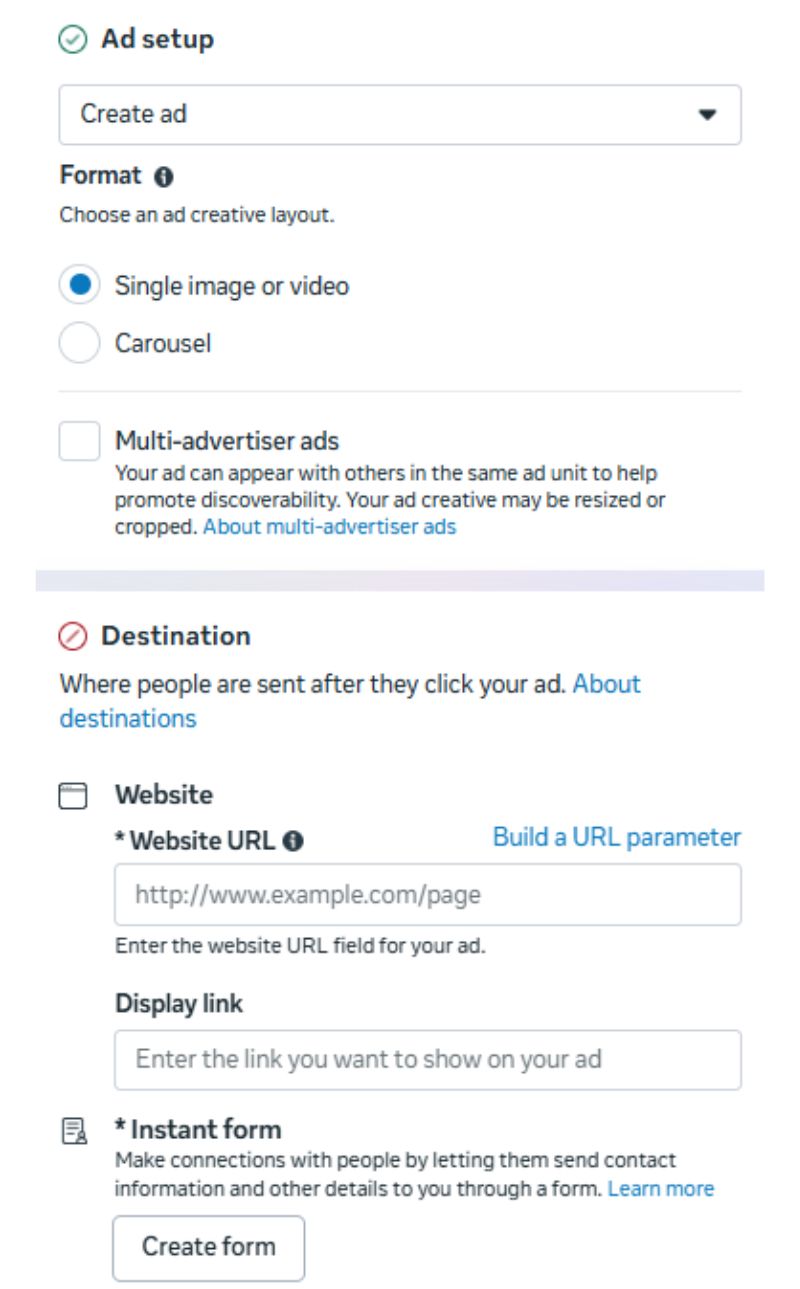
Step 6: If using a single video, click Set up ad content → Video Ad, and upload your media.
Step 7: For a carousel, click + Add Card → Add Video Card, then upload or select your media and add the website URL.
Step 8: Finalize all details and click Publish to launch your video ads on Facebook
How to Create Video Ads for Conversions, Lead Generation and Promotion
Launching a high-performing video ad only takes a few minutes. Follow these simple steps to set up your campaign and start attracting leads or sales right away.
Step 1: In Ads Manager, click + Create.
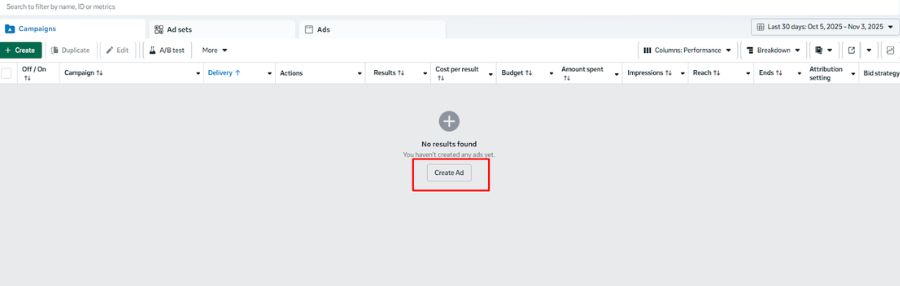
Step 2: Select Leads, App Promotion, or Sales as your campaign objective, then click Continue.

Step 3: You may see a Campaign Score showing optimization predictions—review and apply recommendations if needed.
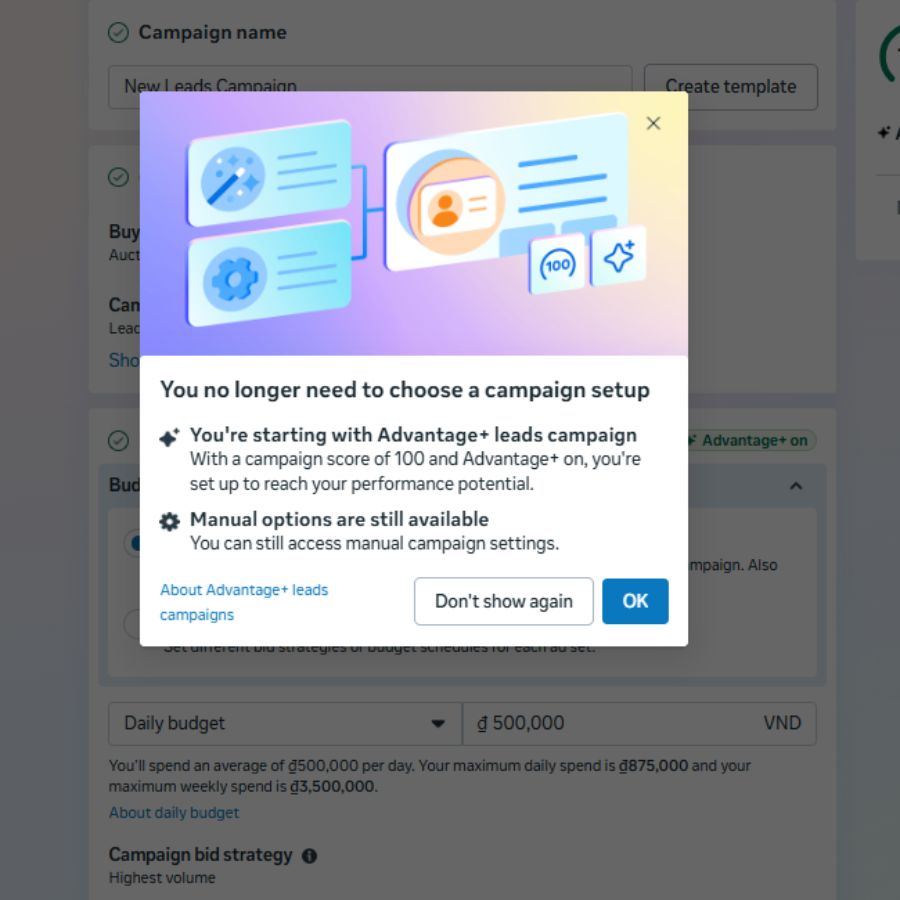
Step 4: Disable Advantage + Catalog Ads at the campaign level.
Step 5: Follow the same setup steps: choose Manual Upload, select Single Image/Video or Carousel, then upload your video.
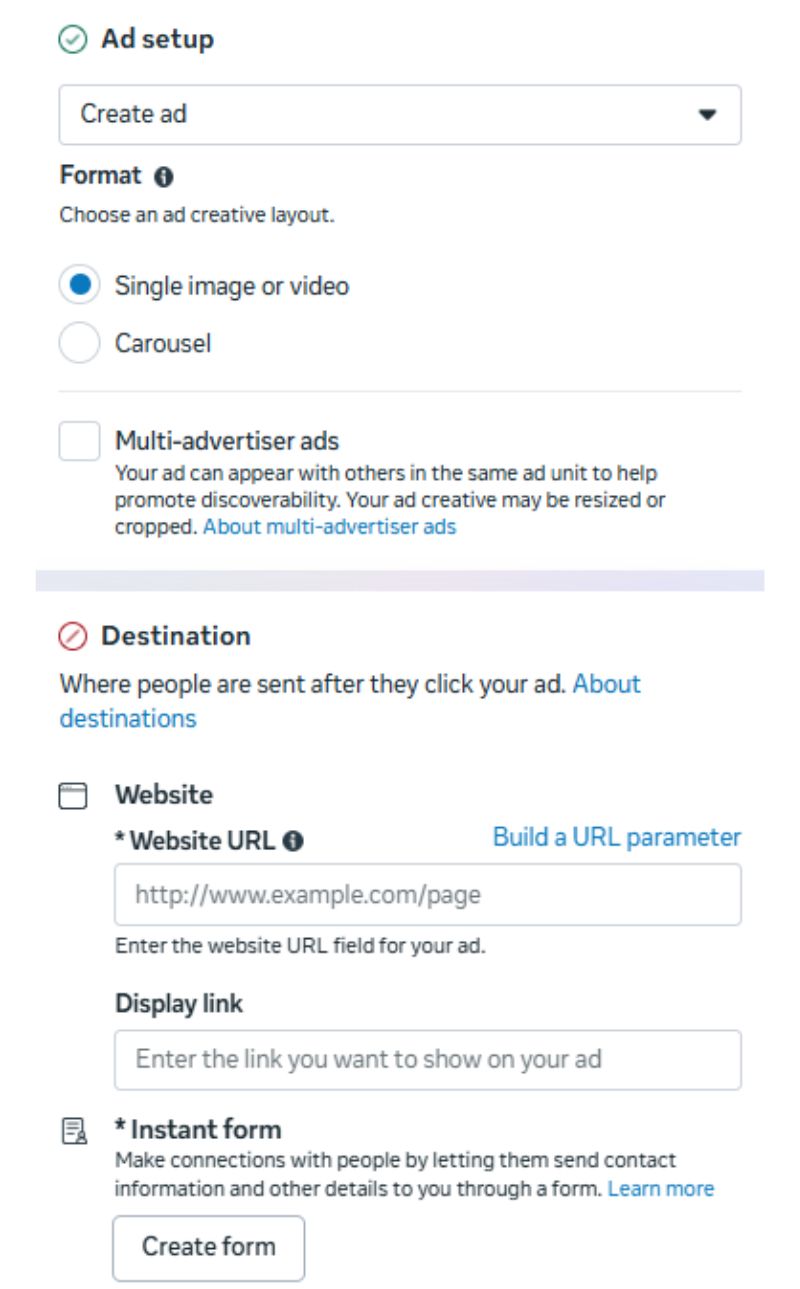
Step 6: Add your destination URL and complete remaining settings.
Step 7: Click Publish to activate your campaign.
Optimizing Video Ads on Facebook for Better Results
Before you start creating Ads on Video Facebook, it’s important to understand what works and what doesn’t. Even small mistakes in setup or messaging can drastically lower engagement and conversions.
Common Mistakes
When creating Ads on Video Facebook, many marketers make small but costly mistakes that reduce engagement. Here are the most common ones to avoid:
- Weak titles and descriptions – Generic lines like “watch this amazing video” don’t attract attention. Instead, use clear, benefit-driven titles that tell viewers what they’ll gain.
- No captions – Over 60% of users watch videos with sound off (Genius eCommerce) . Without captions, your message gets lost. Always add subtitles to keep your story clear.
- Wrong video format – Horizontal videos perform poorly on mobile. Use square (1:1) or vertical (4:5) formats for better visibility.
- Too much information – Trying to say everything in one video confuses viewers. Keep your ad focused on one simple message and call to action.
Simple, focused, and clear video Facebook ads always perform better and keep viewers watching until the end.
Facebook Video Ad Optimization Tips
To make your ads on video Facebook more effective, focus on how viewers actually consume content. Most people scroll in public places or during short breaks, so your video Facebook ads need to grab attention fast — even without sound.
1. Create videos that work without sound
Most users watch Facebook video ads silently. Make sure your message is clear without audio.
- Add captions to boost engagement. Facebook data shows captioned videos increase view time by around 12% (Wordstream).
- Include clear visuals or text overlays so viewers understand the story instantly.
2. Use CPM bidding for autoplay
Enable autoplay by choosing cost-per-impression (CPM) instead of cost-per-click (CPC). This ensures your video ads on Facebook start playing automatically — crucial for catching distracted users mid-scroll. To understand more, check out what CPC is in Facebook ads.
3. Keep it short and engaging
Attention drops fast. Aim for videos under 30 seconds. Shorter video for Facebook ads retain over 81% of viewers (Marketing LTB) , while longer ones lose engagement quickly.
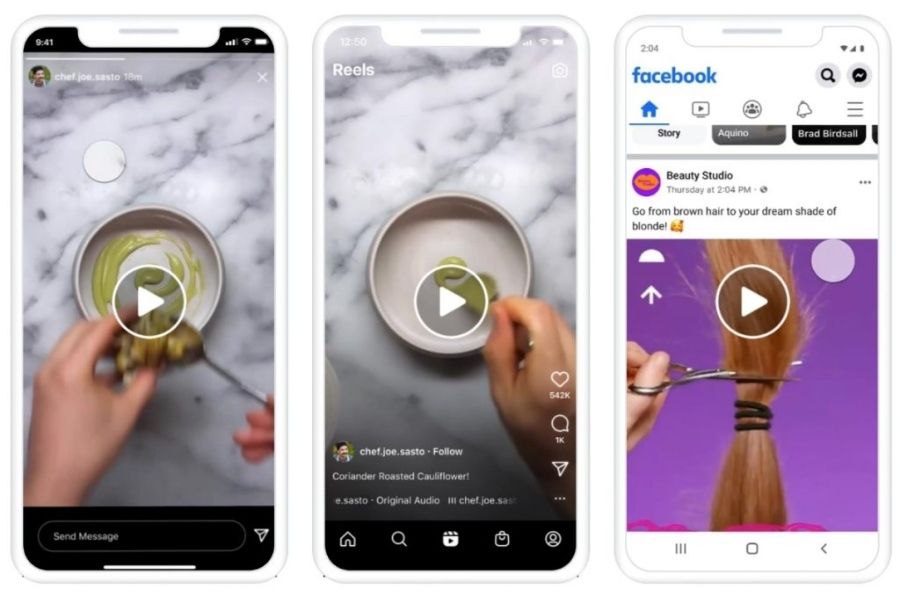
4. Promote your best-performing videos
Run ads using content that already performs well. Review metrics like engagement and play rate to select your top 1% videos before spending on paid campaigns.
5. Optimize for Mobile Viewing
More than 81.8% of Facebook users access the platform via mobile devices (The Social Shepherd), so your video ads must be designed with mobile-first viewing in mind. Make sure your videos are formatted in a 1:1 or 4:5 aspect ratio, have high resolution (at least 1080×1080), and display well on smaller screens.
Avoid tiny text or cluttered visuals that are hard to see on mobile. A mobile-optimized ad not only improves watch time but also increases engagement and conversions, since most users scroll and interact directly on their phones.
6. Target a precise audience
Focus your budget on niche, relevant segments. Narrow targeting helps your video ads Facebook reach users most likely to interact. Focus your budget on niche, relevant segments to make your Facebook video ads reach users most likely to engage. However, keep in mind that overly narrow targeting can significantly increase your ad costs.
It’s best to strike a balance, define your core audience clearly, but leave enough room for Facebook’s algorithm to optimize and discover new potential customers.
7. Analyze performance data
Check views, clicks, and conversions regularly. Learning from your Facebook video with ads stats helps refine your next campaign for stronger results.
Future Trends of Video Ads on Facebook
The future of ads on video Facebook is driven by AI, automation, privacy, and short-form storytelling. To stay ahead, marketers must adapt fast and think beyond traditional ad creation.
1. AI-Powered Creatives
Meta is evolving from an ad platform into a creative engine. With AI-generated text and visuals, marketers can create multiple video for Facebook ads versions at scale and let Meta test which performs best.
2. Campaign Automation
Meta’s Advantage+ system automates ad testing, targeting, and budget allocation. This shift lets advertisers spend less time setting up campaigns and more time refining creative strategies.
3. Privacy-First Advertising
As third-party tracking fades, first-party data becomes essential. Using Meta’s Conversions API (CAPI) helps improve accuracy and attribution for video ads on Facebook campaigns.
4. Short-Form Video Dominance
Reels and Stories now lead user engagement. Creating vertical, mobile-first videos under 30 seconds helps brands reach audiences efficiently and keep costs low.
The future of video Facebook ads is smart, data-driven, and creative — where success depends on mastering AI tools and adapting to privacy and attention trends.

FAQ about Ads on Video Facebook
1. How long should my Facebook video ad be?
For best results with your video for Facebook ads, keep your video short — between 15–30 seconds is ideal. Meta notes that while videos can be much longer, shorter clips tend to hold attention better.
2. Can I use user-generated video for Facebook video ads?
Yes, you can use user-generated content for your video ads on Facebook. As long as the video meets Meta’s format and quality requirements and you have the necessary rights or permissions, it works well — authentic voices often boost engagement.
3. What file formats work best for Facebook video ads?
When you create video ads Facebook, Meta recommends using MP4, MOV or GIF formats. These formats ensure compatibility and smoother delivery across placements.
As Facebook continues to evolve, success with Ads on Video Facebook will rely on creativity, data-driven testing, and adapting to AI-powered tools. Keep your videos short, clear, and mobile-friendly – and never stop learning from your Facebook Ads Analytics Tools.
If you’re ready to scale your ad campaigns with verified ad accounts and expert support, contact NEMI Ads today. Let us help you run effective, conversion-focused Facebook video ads that deliver real results.