Home » Blog » Facebook Ads In Messenger Campaign Strategies For Conversational Reach
Facebook ads in Messenger is becoming a key strategy for brands that want faster responses and higher purchase intent. Unlike traditional ad placements, Messenger allows you to guide users into real conversations where buying decisions happen more naturally. This article explains how to optimize these campaigns, measure the right metrics, and use chat-based interactions to increase conversions without wasting budget.
Overview of Facebook Ads in Messenger
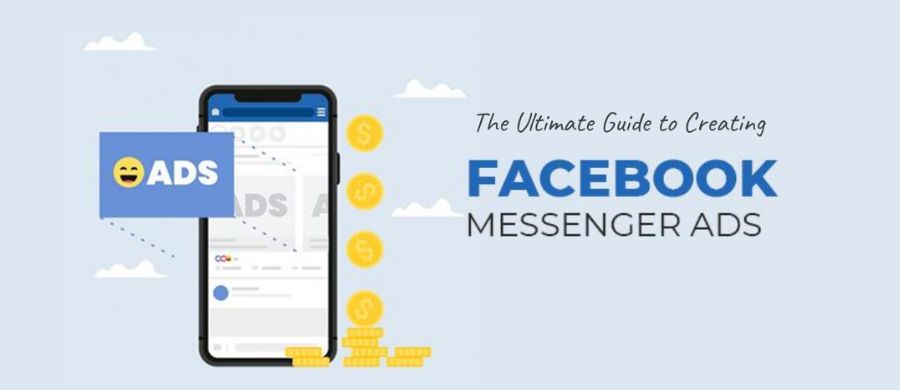
Facebook ads in Messenger allow businesses to reach users directly in their chat app. They are designed to drive engagement with Facebook Ads and start conversations in a fast, mobile-friendly way.
What Are Facebook Ads in Messenger?
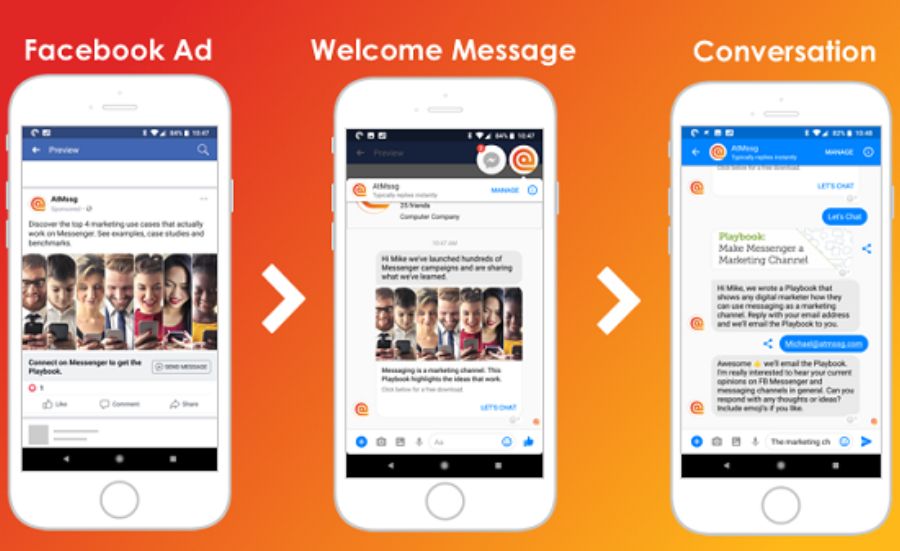
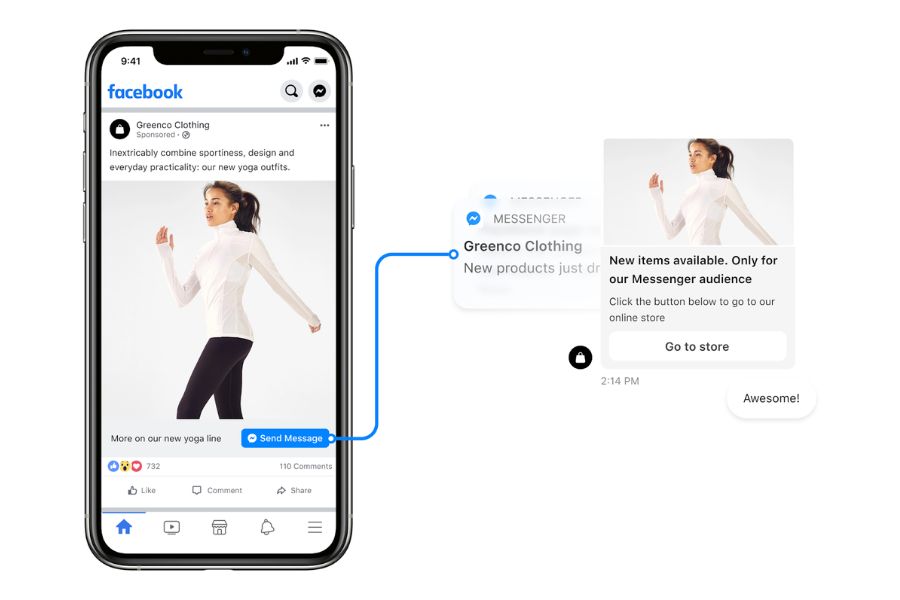
Facebook ads in messenger are messages that appear inside the Messenger app or open a conversation with your business. They may show in the inbox among chats, as full-screen Messenger ads on Facebook Stories, or as Click to Messenger ads. These ads help businesses increase engagement, generate qualified Facebook Ads leads, and boost sales through direct, personalized communication.
Why Use Facebook Ads in Messenger?
Running facebook ads in messenger works similarly to other Facebook placements. Ads are automatically delivered to the locations most likely to achieve campaign results while optimizing for the lowest possible cost per action Facebook Ads.
Facebook messenger advertising helps increase engagement between customers and businesses.
Benefits of using facebook messenger advertising include:
Content reuse: You can reuse creatives that were used in Facebook or Instagram ads for Messenger. This saves time and ensures consistent messaging across platforms. Using familiar content helps users instantly recognize your brand, increasing trust and recall. Advertising on Messenger is simply a placement option; when setting up the campaign, you can select multiple placements simultaneously.
Direct interaction: Facebook ads messenger allow businesses to start real conversations with users. When someone clicks your ad, they can message your business directly, making it easier to answer questions, provide recommendations, or guide them through a purchase. This one-on-one approach strengthens relationships and encourages conversions.
High engagement: Mobile-optimized ads in Messenger quickly capture attention. Quick, interactive, and visually engaging ads encourage users to take action, whether that’s visiting a website, exploring a product, or starting a chat. Messenger ads on Facebook are particularly effective because they appear in the Chat tab, where users are already active and engaged. Some are so connected that they even add Facebook Messenger to the Apple Watch to never miss a notification.
Personalized follow-ups: With features like Sponsored Messages, you can retarget users who have already interacted with your business. Tailored messages help maintain interest, nurture leads, and drive results. Absence messages can manage expectations when you cannot respond immediately.
Popular Types of Facebook Messenger Ads
There are two main placements inside Messenger. Each one fits different goals and creative formats. Below is a clear summary and what to expect when you run facebook ads in messenger.
Click-to-Messenger Ads on Facebook
Drive users to private chats with Click-to-Messenger ads.
Click-to-Messenger ads send people into a private chat with your business. When a user taps the creative, Messenger opens a detailed view. That view shows the full creative and a call-to-action. The button then leads to the destination you picked when building the ad, a website, an app, or a direct conversation.
Key points:
The ad starts a one-to-one exchange. This helps answer questions and guide buyers.
The system places facebook ads in messenger where they will likely meet your campaign goal at the lowest cost.
You can target people by profile data, Pages, groups, and social connections on Facebook and Instagram.
Messenger Ads in Facebook Stories
Full-screen Messenger Stories ads boost reach across Facebook platforms.
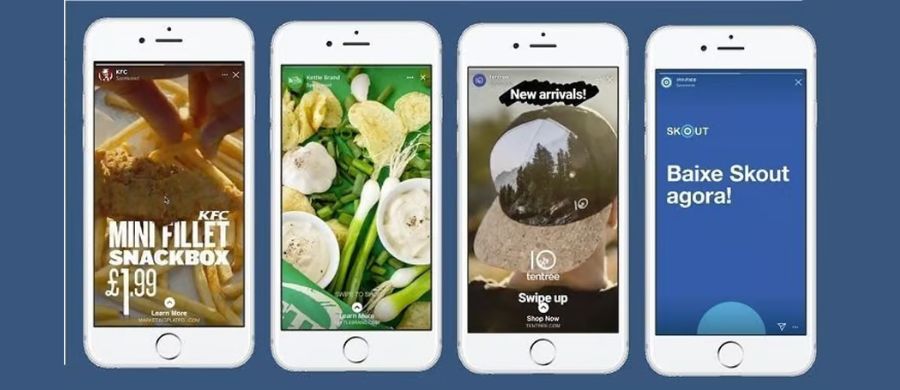
Messenger ads in Facebook Stories appear between organic Stories in the Messenger feed. They behave like Stories ads on other Meta platforms. These full-screen units grab attention and work well on mobile. You can include them in campaigns that also run on Instagram or Facebook Stories to widen reach.
Notes and limits:
Inbox placement for facebook ads in messenger is not available in the United States, Canada, Australia, and France. Advertisers targeting those countries should use Advantage+ placements or include as many placements as possible.
Use messenger ads on facebook or facebook messenger ads to extend Story campaigns and keep messaging consistent across channels.
How to Set Up a Facebook Ads in Messenger Campaign
A clear setup helps you reach users and start chats that drive value. Below are direct steps for three common ways to launch facebook ads in messenger.
Creating Click-to-Messenger Ads in Meta Ads Manager
Here’s how to create a Click-to-Messenger campaign in Meta Ads Manager in a simple, clear workflow:
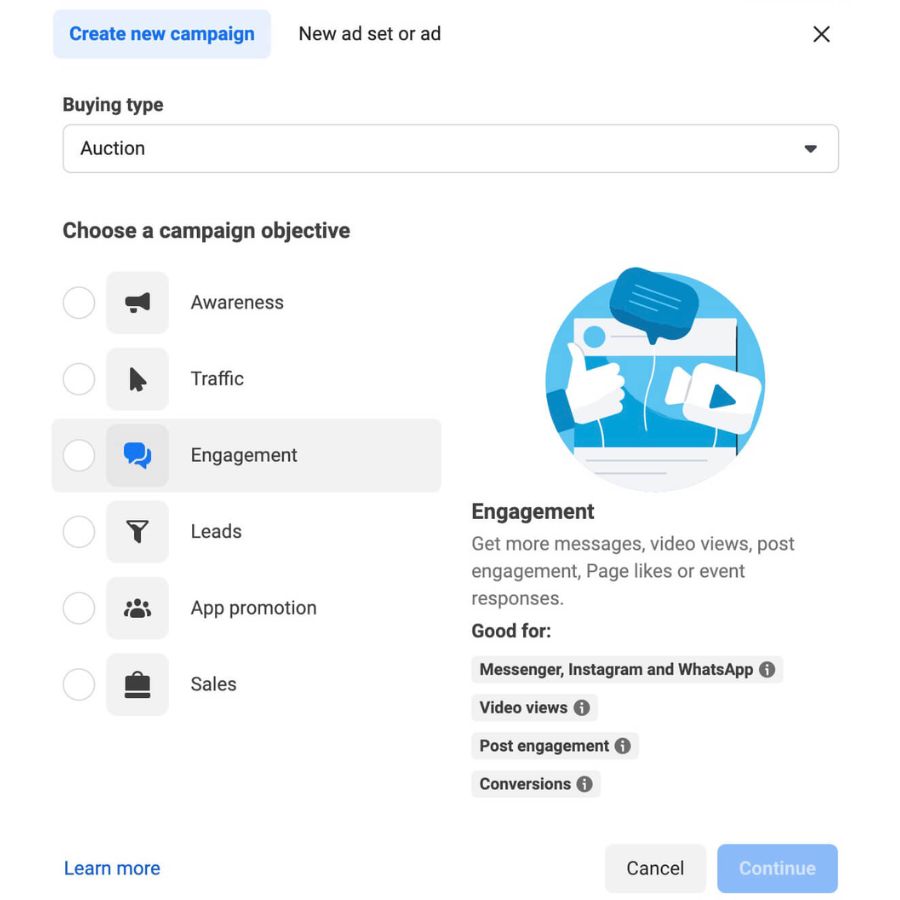
Click + Create in Ads Manager and pick an objective. Choose Traffic, Messages, Leads, or Sales based on your goal.
Review the campaign score (if shown) and apply suggested improvements when relevant. Note that some messaging metrics and campaign features are not available for ads delivered to or from Europe and Japan.
At the ad set level select budget, schedule, audience, and placements. The system can place facebook ads in messenger where they are most cost effective.
For conversion-driven campaigns, choose Website, App, or Messaging as the conversion location.
In the ad setup pick identity (Page or Instagram account), format (single image/video), then add media, primary text, headline, description, and CTA.
Submit the ad. After approval, the creative will run and open Messenger when people click.
Step-by-step guide to launching Messenger ad campaigns.
Creating Click-to-Messenger Ads from Your Facebook Page
If you prefer a faster, Page-based workflow, you can launch Click-to-Messenger ads directly from your Facebook Page.
On your Page choose an existing post and click Boost Post.
Under Objective, select Get More Messages and save.
Edit the call-to-action label and set a welcome message users see in Messenger.
Define audience by age, location, and interests or create a new custom set.
Set run dates and budget, choose payment method, and publish. This method quickly activates facebook messenger ads using a post you already own.
Creating Ads for Messenger Stories
For campaigns focused on immersive, full-screen experiences, you can also deliver Messenger-based creatives through Story placements.
In Ads Manager start a new campaign and pick a compatible objective.
Check placements and enable Messenger Stories in the placement controls. If Advantage+ is available, consider using it to expand delivery.
Choose format (single image/video or vertical Story template), add creative and CTA, then confirm tracking and destination.
Publish when ready. Messenger Story units appear between organic Stories and extend reach across Meta surfaces.
Notes: Inbox placement for facebook ads in messenger is not available in the United States, Canada, Australia, and France. Advertisers targeting those countries should include Advantage+ or multiple placements.
Facebook Ads in Messenger Optimization Strategies
Optimizing facebook ads in messenger helps improve purchases from chat-based interactions. Below are clear methods to strengthen performance and measure results with accuracy.
Optimize Facebook Ads in Messenger to boost chat conversions at the lowest cost.
Selecting the “Maximize Purchases via Messenger” Goal
Choosing the Maximize Purchases via Messages goal lets your ads reach people who are more likely to buy after starting a chat in Messenger, Instagram Direct, or WhatsApp. This option improves efficiency and helps lower the cost per purchase by focusing delivery on users with stronger buying intent. Many brands use this approach when running facebook messenger ads to capture more sales through direct conversations.
You must share at least ten valid purchase events with Meta in the past 30 days to unlock purchase optimization. These events help the system understand real buying actions and refine delivery. Businesses in Vietnam and Thailand can run purchase-optimized facebook ads in messenger without sending purchase events.
Two main ways to send purchase signals include:
Orders confirmed inside Messenger using Meta Business Suite
Purchase events shared through the Conversions API
Some regions also support Meta Pay signals.
Optimizing Reports and Performance Measurement
When using this goal, track performance through Purchases on Meta and Cost per Purchase, not conversation starts. This keeps reporting aligned with campaign objectives. Sharing all purchase events from Messenger chats improves attribution and helps you see true results. This approach is essential for advertisers using messenger ads on Facebook who want clear and accurate performance insights.
Distribution Strategy & Audience Targeting for Messenger Ads Facebook
Run campaigns for at least seven days to allow stable learning. Use Custom Audiences built from previous buyers and Lookalike Audiences to reach people with strong intent. This improves delivery for messenger ads Facebook and keeps costs consistent. In some cases, you may receive opportunity score suggestions to strengthen your campaign setup.
Designing Messenger Ads Experiences to Drive Conversions
A smooth chat experience encourages users to complete a purchase. Simple welcome prompts, clear CTAs, and a short message flow help remove friction inside the conversation. These details make facebook messenger advertising more effective, especially when users expect fast support and direct answers.
Testing & Continuous Optimization for Facebook Messenger Advertising
Regular testing helps maintain strong performance. Try different audiences, creatives, and chat prompts to see what brings the most purchases. Monitor changes over time and adjust as needed. This ongoing approach keeps facebook ads in messenger efficient and supports steady growth in conversions.
Using facebook ads in messenger effectively requires the right optimization settings, accurate purchase signals, and a clear conversation flow. When all elements align, your campaigns can reach buyers with stronger intent and convert chats into real revenue. For more stable ad performance, reduced testing costs, and lower risk of account bans, consider using the trusted ad account rental service from NEMI Ads. This ensures a strong account with high reliability and better results for your Messenger campaigns.