
Dynamic creative optimization Facebook is transforming ad performance by taking the guesswork out of testing. Instead of manually comparing headlines or visuals, this feature automatically finds the best-performing ad combinations for each audience. In this guide, you’ll learn how to set up dynamic creative campaigns, optimize results, and use real examples to boost engagement and ROI. Start automating your Facebook ads and turn data into smarter, faster growth.
Introduction to Dynamic Creative Optimization Facebook
Dynamic creative optimization Facebook helps advertisers test many ad versions automatically. Instead of guessing which image or text works best, Facebook’s system combines your assets and finds the top-performing mix for each audience.
What is Dynamic Creative?
Dynamic creative optimization Facebook is redefining how advertisers build and test their campaigns. Instead of manually creating countless ad versions, this feature lets you upload multiple headlines, images, and videos at once. Facebook’s system then automatically generates different ad combinations and delivers the most effective ones to each viewer.
By mixing and matching creative elements like visuals, text, and calls-to-action, your ads become more personalized and engaging. In short, dynamic creative fuels personalization, while dynamic creative optimization on Facebook ensures every impression works harder, saving time and improving performance without endless A/B testing.
Why Use Dynamic Creative for Facebook Ads?
Using dynamic creative optimization helps you:
- Better audience targeting: The platform uses real-time data like user interests, location, and behavior to show each person the most relevant version of your ad.
- Higher engagement, lower costs: Personalized ads naturally attract more clicks and conversions, helping you reduce CPC, optimize cost per action Facebook Ads, and improve ROAS.
- Time efficiency: You no longer need to run endless A/B tests. Facebook tests combinations in the background and automatically prioritizes what works.
- Scalable performance: Whether you run 10 ads or 10,000, DCO ensures consistency, brand alignment, and faster learning across every campaign.
If you’re exploring how to create dynamic ads on Facebook, simply upload your creative assets, enable the dynamic creative feature, and review performance insights in Ads Manager. Over time, these insights will reveal exactly which visuals, copy, and CTAs resonate most, turning data into growth.

How to Set Up and Use Dynamic Creative on Facebook
Start by gathering images, videos, headlines, and CTAs. Use the Ads Manager flow to build and preview variants. This section shows the exact steps.
How to Create Dynamic Ads on Facebook
- Step 1: Open Ads Manager and click + Create.
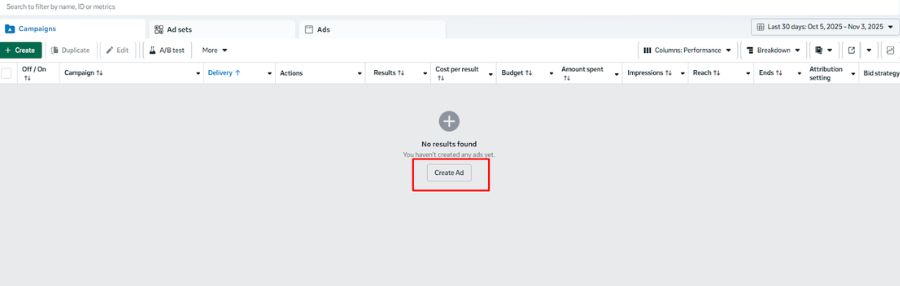
- Step 2: Pick an objective: Awareness, Engagement, Traffic, Leads

- Step 3: Continue until you reach the Dynamic Creative section.

- Step 4: Enable the feature.

- Step 5: Choose Single Image/Video or Carousel format.
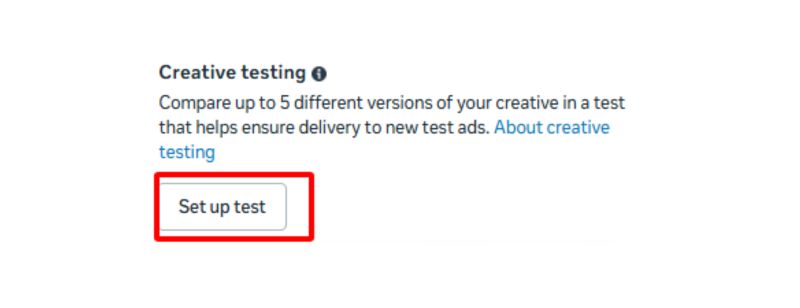
- Step 6: Optionally add up to five headlines, descriptions, and CTAs.
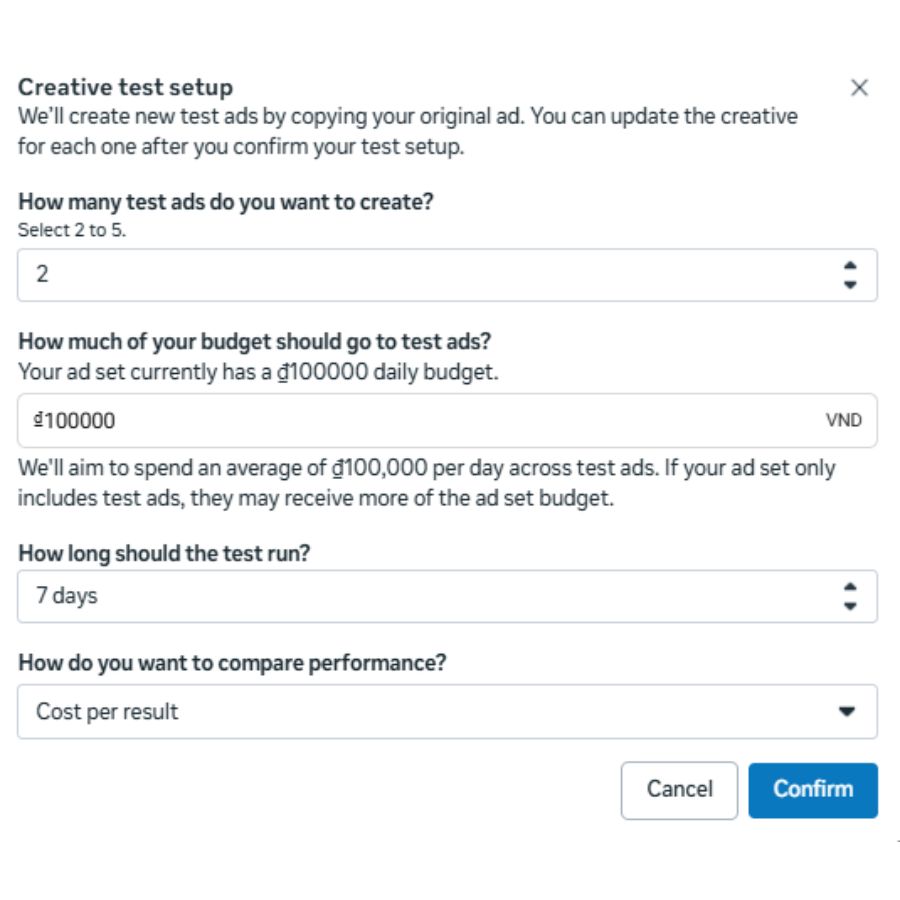
This method explains how to create dynamic ads on Facebook and how combinations are produced automatically. Use dynamic creative optimization Facebook to test many versions fast.
How to Turn On Dynamic Creative Facebook
Dynamic Creative helps Facebook automatically test and optimize ad combinations for better performance. Follow these steps to enable it correctly:
- Step 1: In Ads Manager, go to your Ad Set level. Toggle Dynamic Creative to ON.
- Step 2: Continue to the Ad level, upload your creatives (images, videos, headlines, and descriptions), then complete your ad setup.
- Step 3: Review all settings and publish your campaign.
Once activated, Facebook will automatically mix and match your assets to generate the best-performing ad variations.
How to Turn Off Dynamic Creative Facebook
If you no longer want Facebook to automatically mix and match your ad elements, you can easily turn off Dynamic Creative in Ads Manager. Follow these simple steps:
- Step 1: Go to your Ad Set in Ads Manager.
- Step 2: Scroll down to the Dynamic Creative section.
- Step 3: Toggle the Dynamic Creative switch off.
Once turned off, your ads will return to manual setup, giving you full control over headlines, images, and copy variations.
Using dynamic creative optimization Facebook helps you review aggregated results and refine choices. For practical dynamic ads Facebook examples, preview the Ad Preview to see placements.
Best Practices & Advanced Tips for Dynamic Creative Optimization on Facebook
Dynamic creative optimization allows advertisers to deliver more relevant ads to each audience. Following best practices helps maximize performance and ROI.
Optimize Creative Assets
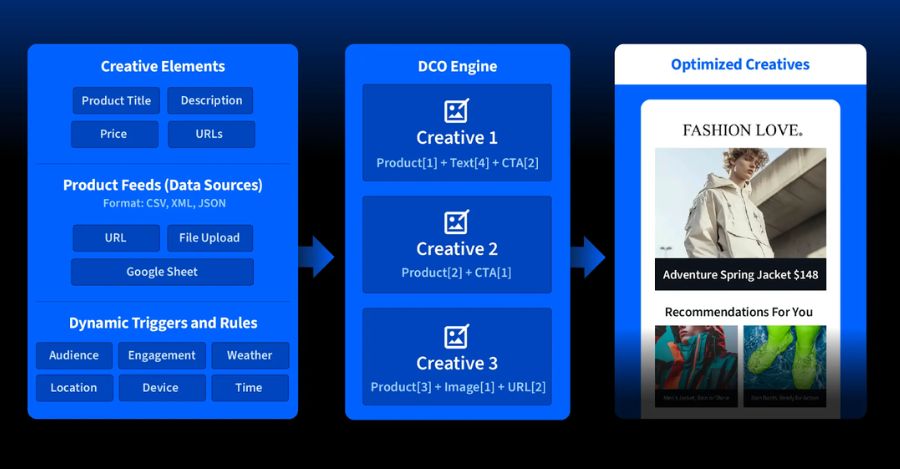
Good creative assets are the foundation of dynamic creative optimization Facebook. Keep visuals clear, avoid clutter, and focus on one key message. Short, engaging ad copy works best with social feeds.
Use multiple creative variations for headlines, text, and CTAs. This helps test what works. Consider these tips:
- Add subtle animations or loops to images for better engagement.
- Include closed captions for videos since many users watch without sound.
- Localize content for different regions or languages to increase relevance.
If you are learning how to create dynamic ads on Facebook, templates or Facebook Ads automated creative tools can save time while keeping your brand consistent. Also, know how to turn on dynamic creative Facebook to enable full automation and testing.
Optimize Testing and Data Structure
Testing and structured data make dynamic creative optimization on Facebook effective. Using multiple data points – location, demographics, behavior – creates highly personalized ads.
Organize your creative variations and inventory in a spreadsheet or product feed. This helps automated tools generate ad combinations quickly.
Key points for testing:
- Run A/B tests for images, headlines, and CTA buttons.
- Track results and refine combinations that perform best.
- Learn how to turn off Dynamic Creative Facebook for underperforming sets to save budget.
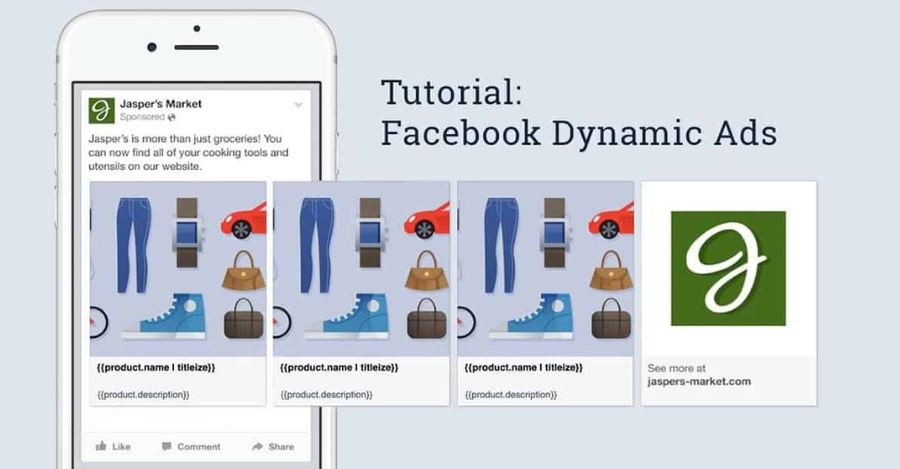
Using dynamic ads Facebook examples as a guide can help identify what resonates with your audience.
Common Mistakes & How to Avoid Them
Even experienced marketers make mistakes with dynamic creative optimization Facebook. Avoid these common pitfalls:
- Overcomplicating campaigns with too many creative variations can make analysis hard. Focus on quality over quantity.
- Ignoring personalization or localization leads to low engagement. Use multiple audience insights.
- Relying fully on automation without monitoring can misalign campaigns with your brand.
- Simple fixes include monitoring performance daily, prioritizing high-impact creatives, and keeping testing cycles short.
Quick Takeaways
To succeed with dynamic creative optimization on Facebook:
- Focus on high-quality, clear creative assets.
- Test multiple elements to understand audience preferences.
- Automate production but keep human oversight.
- Personalize using several data points for maximum relevance.
Following these steps ensures your campaigns are engaging, scalable, and profitable.
Top Dynamic Ads Facebook Examples
Dynamic ads on Facebook are a powerful way to reach the right audience at the right time. By using dynamic creative optimization on Facebook, advertisers can personalize content based on user behavior and interests.
Enhanced Product Promotions
Personalized product promotions outperform static ads because they adapt to user history and preferences. Dynamic creative optimization facebook enables you to show content tailored to each customer’s journey—from initial engagement to conversion.

For example, a retailer can:
- Display items based on past purchases or browsing behavior.
- Customize offers for different audience segments, such as families or frequent shoppers.
- Schedule campaigns for specific days or locations to maximize relevance.
These personalized journeys not only improve CTR and ROAS but also build brand trust and loyalty.
Multi-Format Creative Templates
Managing multiple ad formats can be tedious, but dynamic creative optimization facebook simplifies this process. With multi-format templates, you can maintain design consistency across all placements without creating separate assets for each size.

Key advantages include:
- Replicating a master template for different placements quickly, including Facebook Ads in Messenger.
- Previewing all formats in one dashboard for faster adjustments.
- Reducing manual work while keeping campaigns highly tailored.
This approach allows creative teams to focus on strategy instead of repetitive production tasks.
Hyperlocal Targeted Ads
Driving in-store visits with online ads becomes easier with hyperlocal targeting. Dynamic creative optimization facebook allows campaigns to focus on a small radius around retail locations, turning online traffic into real-world sales.
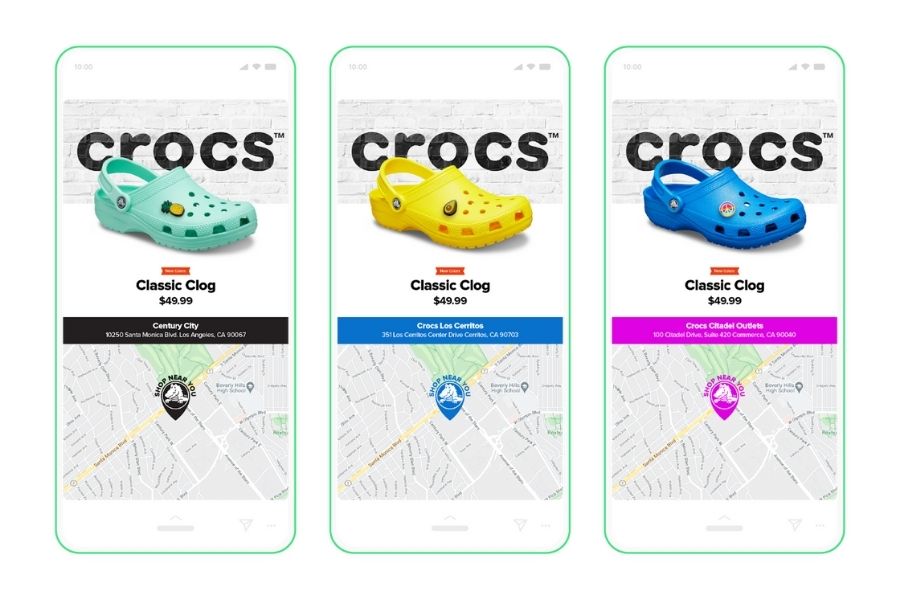
By targeting users near a store and personalizing content to their location or interests, brands can:
- Increase immediate in-store visits.
- Promote location-specific offers or events.
- Improve overall ROI by connecting online impressions with offline purchases.
Case studies show that hyperlocal creatives can significantly boost engagement and conversions.
Multi-Language Localized Ads
Global campaigns need to speak the language of the audience. Using dynamic creative optimization facebook, advertisers can deliver multi-language creatives automatically.
With a simple language and a copy data feed, the system generates ads in different dialects for different regions. This ensures messaging is relevant and contextual. Localized ads often see higher CTR and engagement compared to generic campaigns.

Sales-Oriented DPAs
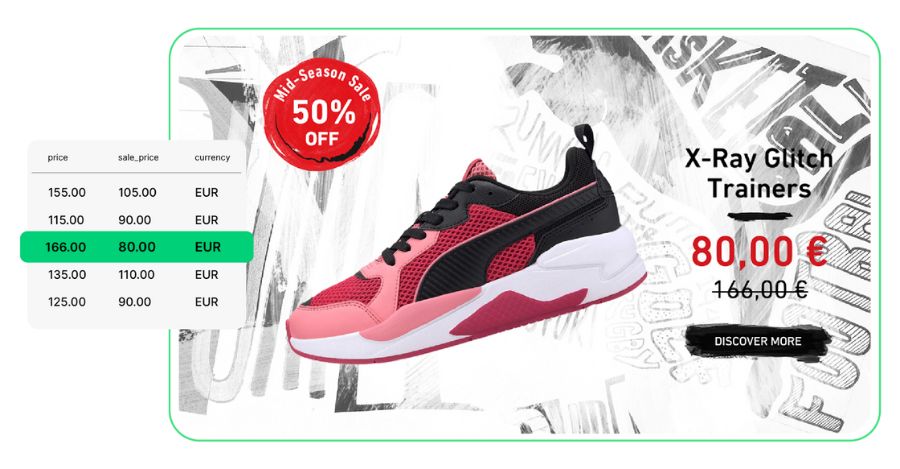
Show the original price next to the discounted price to make promotions easy to spot. This helps shoppers quickly see the value and encourages faster purchase decisions. Highlighting the sale price attracts attention, increases motivation, and drives higher revenue while improving sales efficiency. Moving beyond traditional DPAs can solve common challenges in Dynamic Product campaigns.
FAQ about Facebook Dynamic Creative Optimization
What’s the Difference Between Dynamic Creative and Dynamic Creative Optimization?
Dynamic creative creates multiple ad variations and serves them to different audiences automatically. Dynamic creative optimization on Facebook automates testing and finds the best-performing combinations. It gives more control and reduces manual work. Dynamic creative suits small campaigns; DCO is ideal for larger, data-driven campaigns.
What Are Facebook DCO Ads Used For?
Facebook DCO ads test to determine which creative combination works best. Dynamic creative optimization Facebook mixes images, videos, headlines, text, and CTAs automatically. They deliver personalized messages based on audience behavior. DCO improves engagement, conversions, and ROI.
When Should You Avoid Using Dynamic Creative Facebook?
Avoid if your audience is too small; testing many variations can dilute results. Do not use when one specific creative is critical to your message. If you lack proper data for personalization, DCO may underperform. Simpler ad formats may save budget and reduce wasted spend. Knowing how to turn off Dynamic Creative Facebook helps control efficiency.
Mastering dynamic creative optimization Facebook helps businesses create highly relevant, scalable campaigns that resonate with their audience. For brands or agencies looking to quickly launch and test multiple campaigns without limitations, NEMI Ads offers Invoice Facebook Ad accounts. With NEMI Ads, you can access fully verified Facebook ad accounts to implement DCO campaigns efficiently and securely, giving your marketing strategy a real boost.